| .github | ||
| com.robotsandpencils.XcodesApp.Helper | ||
| HelperXPCShared | ||
| Scripts | ||
| Xcodes | ||
| Xcodes.xcodeproj | ||
| XcodesTests | ||
| .gitignore | ||
| DECISIONS.md | ||
| icon.png | ||
| LICENSE | ||
| R&PLogo.png | ||
| README.md | ||
| screenshot.png | ||


 Xcodes.app
The easiest way to install and switch between multiple versions of Xcode.
If you're looking for a command-line version of Xcodes.app, try xcodes.

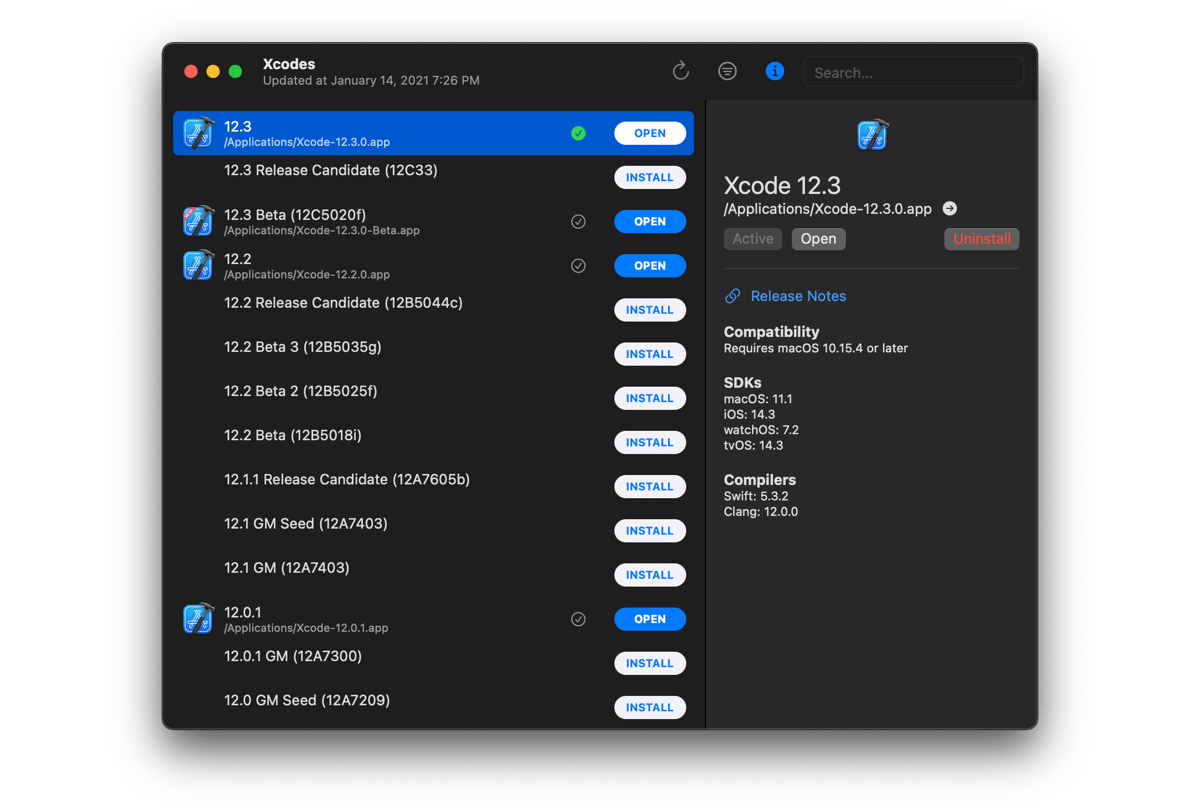
Features
- List all available Xcode versions from Xcode Releases' data or the Apple Developer website.
- Install any Xcode version, fully automated from start to finish. Xcodes uses
aria2, which uses up to 16 connections to download 3-5x faster than URLSession. - Just click a button to make a version active with
xcode-select. - View release notes, OS compatibility, included SDKs and compilers from Xcode Releases.
Installation
Xcodes.app is currently only provided as source code that must be built using Xcode.
Development
You'll need macOS 11 Big Sur and Xcode 12 in order to build and run Xcodes.app.
If you aren't a Robots and Pencils employee you'll need to change the CODE_SIGNING_SUBJECT_ORGANIZATIONAL_UNIT build setting to your Apple Developer team ID in order for code signing validation to succeed between the main app and the privileged helper.
Notable design decisions are recorded in DECISIONS.md. The Apple authentication flow is described in Apple.paw, which will allow you to play with the API endpoints that are involved using the Paw app.
xcode-install and fastlane/spaceship both deserve credit for figuring out the hard parts of what makes this possible.
Contact

Made with ❤️ by Robots & Pencils