 b1ddf6f1b6
- Update CI configuration to use macOS-15 runner with Xcode 16.3
- Expand test coverage with comprehensive new test suites:
  * JSONOutputTests.swift - JSON encoding/decoding and MCP compliance
  * LoggerTests.swift - Thread-safe logging functionality
  * ImageCaptureLogicTests.swift - Image capture command logic
  * TestTags.swift - Centralized test tagging system
- Improve existing tests with Swift Testing patterns and async support
- Make Logger thread-safe with concurrent dispatch queue
- Add performance, concurrency, and edge case testing
- Fix compilation issues and optimize test performance

🤖 Generated with [Claude Code](https://claude.ai/code)

Co-Authored-By: Claude <noreply@anthropic.com>
292 KiB
https://developer.apple.com/documentation/testing llms-full.txt
Swift Testing Overview
Framework
Swift Testing
Create and run tests for your Swift packages and Xcode projects.
Swift 6.0+Xcode 16.0+
Overview

With Swift Testing you leverage powerful and expressive capabilities of the Swift programming language to develop tests with more confidence and less code. The library integrates seamlessly with Swift Package Manager testing workflow, supports flexible test organization, customizable metadata, and scalable test execution.
-
Define test functions almost anywhere with a single attribute.
-
Group related tests into hierarchies using Swift’s type system.
-
Integrate seamlessly with Swift concurrency.
-
Parameterize test functions across wide ranges of inputs.
-
Enable tests dynamically depending on runtime conditions.
-
Parallelize tests in-process.
-
Categorize tests using tags.
-
Associate bugs directly with the tests that verify their fixes or reproduce their problems.
Related videos
 \
\
Meet Swift Testing
\
\
Meet Swift Testing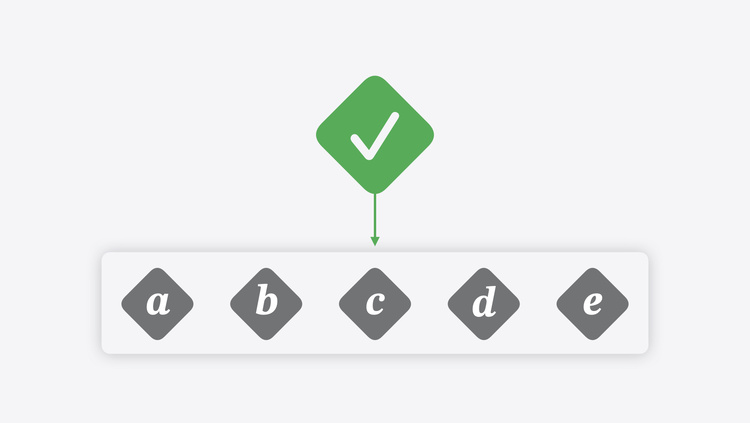 \
\
Go further with Swift Testing
\
\
Go further with Swift Testing
Topics
Essentials
Define a test function to validate that code is working correctly.
Organizing test functions with suite types
Organize tests into test suites.
Migrate an existing test method or test class written using XCTest.
macro Test(String?, any TestTrait...)
Declare a test.
A type representing a test or suite.
macro Suite(String?, any SuiteTrait...)
Declare a test suite.
Test parameterization
Implementing parameterized tests
Specify different input parameters to generate multiple test cases from a test function.
macro Test<C>(String?, any TestTrait..., arguments: C)
Declare a test parameterized over a collection of values.
macro Test<C1, C2>(String?, any TestTrait..., arguments: C1, C2)
Declare a test parameterized over two collections of values.
macro Test<C1, C2>(String?, any TestTrait..., arguments: Zip2Sequence<C1, C2>)
Declare a test parameterized over two zipped collections of values.
protocol CustomTestArgumentEncodable
A protocol for customizing how arguments passed to parameterized tests are encoded, which is used to match against when running specific arguments.
A single test case from a parameterized Test.
Behavior validation
API Reference\ Expectations and confirmations
Check for expected values, outcomes, and asynchronous events in tests.
Highlight known issues when running tests.
Test customization
Annotate test functions and suites, and customize their behavior.
Current page is Swift Testing
Adding Tags to Tests
- Swift Testing
- Traits
- Adding tags to tests
Article
Adding tags to tests
Use tags to provide semantic information for organization, filtering, and customizing appearances.
Overview
A complex package or project may contain hundreds or thousands of tests and suites. Some subset of those tests may share some common facet, such as being critical or flaky. The testing library includes a type of trait called tags that you can add to group and categorize tests.
Tags are different from test suites: test suites impose structure on test functions at the source level, while tags provide semantic information for a test that can be shared with any number of other tests across test suites, source files, and even test targets.
Add a tag
To add a tag to a test, use the tags(_:) trait. This trait takes a sequence of tags as its argument, and those tags are then applied to the corresponding test at runtime. If any tags are applied to a test suite, then all tests in that suite inherit those tags.
The testing library doesn’t assign any semantic meaning to any tags, nor does the presence or absence of tags affect how the testing library runs tests.
Tags themselves are instances of Tag and expressed as named constants declared as static members of Tag. To declare a named constant tag, use the Tag() macro:
extension Tag {
  @Tag static var legallyRequired: Self
}

@Test("Vendor's license is valid", .tags(.legallyRequired))
func licenseValid() { ... }
If two tags with the same name ( legallyRequired in the above example) are declared in different files, modules, or other contexts, the testing library treats them as equivalent.
If it’s important for a tag to be distinguished from similar tags declared elsewhere in a package or project (or its dependencies), use reverse-DNS naming to create a unique Swift symbol name for your tag:
extension Tag {
  enum com_example_foodtruck {}
}

extension Tag.com_example_foodtruck {
  @Tag static var extraSpecial: Tag
}

@Test(
  "Extra Special Sauce recipe is secret",
  .tags(.com_example_foodtruck.extraSpecial)
)
func secretSauce() { ... }
Where tags can be declared
Tags must always be declared as members of Tag in an extension to that type or in a type nested within Tag. Redeclaring a tag under a second name has no effect and the additional name will not be recognized by the testing library. The following example is unsupported:
extension Tag {
  @Tag static var legallyRequired: Self // ✅ OK: Declaring a new tag.

  static var requiredByLaw: Self { // ❌ ERROR: This tag name isn't
                                   // recognized at runtime.
    legallyRequired
  }
}
If a tag is declared as a named constant outside of an extension to the Tag type (for example, at the root of a file or in another unrelated type declaration), it cannot be applied to test functions or test suites. The following declarations are unsupported:
@Tag let needsKetchup: Self // ❌ ERROR: Tags must be declared in an extension
                            // to Tag.
struct Food {
  @Tag var needsMustard: Self // ❌ ERROR: Tags must be declared in an extension
                              // to Tag.
}
See Also
Annotating tests
Add comments to provide useful information about tests.
Associate bugs uncovered or verified by tests.
Examine how the testing library interprets bug identifiers provided by developers.
Declare a tag that can be applied to a test function or test suite.
static func bug(String, Comment?) -> Self
Constructs a bug to track with a test.
static func bug(String?, id: String, Comment?) -> Self
Constructs a bug to track with a test.
static func bug(String?, id: some Numeric, Comment?) -> Self
Constructs a bug to track with a test.
Current page is Adding tags to tests
Swift Test Overview
- Swift Testing
- Test
Structure
Test
A type representing a test or suite.
iOSiPadOSMac CatalystmacOStvOSvisionOSwatchOSSwift 6.0+Xcode 16.0+
struct Test
Overview
An instance of this type may represent:
-
A type containing zero or more tests (i.e. a test suite);
-
An individual test function (possibly contained within a type); or
-
A test function parameterized over one or more sequences of inputs.
Two instances of this type are considered to be equal if the values of their id properties are equal.
Topics
Structures
A single test case from a parameterized Test.
Instance Properties
The set of bugs associated with this test.
The complete set of comments about this test from all of its traits.
The customized display name of this instance, if specified.
Whether or not this test is parameterized.
Whether or not this instance is a test suite containing other tests.
The name of this instance.
var sourceLocation: SourceLocation
The source location of this test.
The complete, unique set of tags associated with this test.
The maximum amount of time this test’s cases may run for.
The set of traits added to this instance when it was initialized.
Type Properties
The test that is running on the current task, if any.
Default Implementations
API Reference\ Equatable Implementations
API Reference\ Hashable Implementations
API Reference\ Identifiable Implementations
Relationships
Conforms To
See Also
Essentials
Define a test function to validate that code is working correctly.
Organizing test functions with suite types
Organize tests into test suites.
Migrate an existing test method or test class written using XCTest.
macro Test(String?, any TestTrait...)
Declare a test.
macro Suite(String?, any SuiteTrait...)
Declare a test suite.
Current page is Test
Adding Comments to Tests
- Swift Testing
- Traits
- Adding comments to tests
Article
Adding comments to tests
Add comments to provide useful information about tests.
Overview
It’s often useful to add comments to code to:
-
Provide context or background information about the code’s purpose
-
Explain how complex code implemented
-
Include details which may be helpful when diagnosing issues
Test code is no different and can benefit from explanatory code comments, but often test issues are shown in places where the source code of the test is unavailable such as in continuous integration (CI) interfaces or in log files.
Seeing comments related to tests in these contexts can help diagnose issues more quickly. Comments can be added to test declarations and the testing library will automatically capture and show them when issues are recorded.
Add a code comment to a test
To include a comment on a test or suite, write an ordinary Swift code comment immediately before its @Test or @Suite attribute:
// Assumes the standard lunch menu includes a taco
@Test func lunchMenu() {
  let foodTruck = FoodTruck(
    menu: .lunch,
    ingredients: [.tortillas, .cheese]
  )
  #expect(foodTruck.menu.contains { $0 is Taco })
}
The comment, // Assumes the standard lunch menu includes a taco, is added to the test.
The following language comment styles are supported:
| Syntax | Style |
|---|---|
// ... |
Line comment |
/// ... |
Documentation line comment |
/* ... */ |
Block comment |
/** ... */ |
Documentation block comment |
Comment formatting
Test comments which are automatically added from source code comments preserve their original formatting, including any prefixes like // or /**. This is because the whitespace and formatting of comments can be meaningful in some circumstances or aid in understanding the comment — for example, when a comment includes an example code snippet or diagram.
Use test comments effectively
As in normal code, comments on tests are generally most useful when they:
-
Add information that isn’t obvious from reading the code
-
Provide useful information about the operation or motivation of a test
If a test is related to a bug or issue, consider using the Bug trait instead of comments. For more information, see Associating bugs with tests.
See Also
Annotating tests
Use tags to provide semantic information for organization, filtering, and customizing appearances.
Associate bugs uncovered or verified by tests.
Examine how the testing library interprets bug identifiers provided by developers.
Declare a tag that can be applied to a test function or test suite.
static func bug(String, Comment?) -> Self
Constructs a bug to track with a test.
static func bug(String?, id: String, Comment?) -> Self
Constructs a bug to track with a test.
static func bug(String?, id: some Numeric, Comment?) -> Self
Constructs a bug to track with a test.
Current page is Adding comments to tests
Organizing Test Functions
- Swift Testing
- Organizing test functions with suite types
Article
Organizing test functions with suite types
Organize tests into test suites.
Overview
When working with a large selection of test functions, it can be helpful to organize them into test suites.
A test function can be added to a test suite in one of two ways:
-
By placing it in a Swift type.
-
By placing it in a Swift type and annotating that type with the
@Suiteattribute.
The @Suite attribute isn’t required for the testing library to recognize that a type contains test functions, but adding it allows customization of a test suite’s appearance in the IDE and at the command line. If a trait such as tags(_:) or disabled(_:sourceLocation:) is applied to a test suite, it’s automatically inherited by the tests contained in the suite.
In addition to containing test functions and any other members that a Swift type might contain, test suite types can also contain additional test suites nested within them. To add a nested test suite type, simply declare an additional type within the scope of the outer test suite type.
By default, tests contained within a suite run in parallel with each other. For more information about test parallelization, see Running tests serially or in parallel.
Customize a suite’s name
To customize a test suite’s name, supply a string literal as an argument to the @Suite attribute:
@Suite("Food truck tests") struct FoodTruckTests {
  @Test func foodTruckExists() { ... }
}
To further customize the appearance and behavior of a test function, use traits such as tags(_:).
Test functions in test suite types
If a type contains a test function declared as an instance method (that is, without either the static or class keyword), the testing library calls that test function at runtime by initializing an instance of the type, then calling the test function on that instance. If a test suite type contains multiple test functions declared as instance methods, each one is called on a distinct instance of the type. Therefore, the following test suite and test function:
@Suite struct FoodTruckTests {
  @Test func foodTruckExists() { ... }
}
Are equivalent to:
@Suite struct FoodTruckTests {
  func foodTruckExists() { ... }

  @Test static func staticFoodTruckExists() {
    let instance = FoodTruckTests()
    instance.foodTruckExists()
  }
}
Constraints on test suite types
When using a type as a test suite, it’s subject to some constraints that are not otherwise applied to Swift types.
An initializer may be required
If a type contains test functions declared as instance methods, it must be possible to initialize an instance of the type with a zero-argument initializer. The initializer may be any combination of:
-
implicit or explicit
-
synchronous or asynchronous
-
throwing or non-throwing
-
private,fileprivate,internal,package, orpublic
For example:
@Suite struct FoodTruckTests {
  var batteryLevel = 100

  @Test func foodTruckExists() { ... } // ✅ OK: The type has an implicit init().
}

@Suite struct CashRegisterTests {
  private init(cashOnHand: Decimal = 0.0) async throws { ... }

  @Test func calculateSalesTax() { ... } // ✅ OK: The type has a callable init().
}

struct MenuTests {
  var foods: [Food]
  var prices: [Food: Decimal]

  @Test static func specialOfTheDay() { ... } // ✅ OK: The function is static.
  @Test func orderAllFoods() { ... } // ❌ ERROR: The suite type requires init().
}
The compiler emits an error when presented with a test suite that doesn’t meet this requirement.
Test suite types must always be available
Although @available can be applied to a test function to limit its availability at runtime, a test suite type (and any types that contain it) must not be annotated with the @available attribute:
@Suite struct FoodTruckTests { ... } // ✅ OK: The type is always available.

@available(macOS 11.0, *) // ❌ ERROR: The suite type must always be available.
@Suite struct CashRegisterTests { ... }

@available(macOS 11.0, *) struct MenuItemTests { // ❌ ERROR: The suite type's
                                                 // containing type must always
                                                 // be available too.
  @Suite struct BurgerTests { ... }
}
The compiler emits an error when presented with a test suite that doesn’t meet this requirement.
See Also
Essentials
Define a test function to validate that code is working correctly.
Migrate an existing test method or test class written using XCTest.
macro Test(String?, any TestTrait...)
Declare a test.
A type representing a test or suite.
macro Suite(String?, any SuiteTrait...)
Declare a test suite.
Current page is Organizing test functions with suite types
Custom Test Argument Encoding
- Swift Testing
- CustomTestArgumentEncodable
Protocol
CustomTestArgumentEncodable
A protocol for customizing how arguments passed to parameterized tests are encoded, which is used to match against when running specific arguments.
iOSiPadOSMac CatalystmacOStvOSvisionOSwatchOSSwift 6.0+Xcode 16.0+
protocol CustomTestArgumentEncodable : Sendable
Mentioned in
Implementing parameterized tests
Overview
The testing library checks whether a test argument conforms to this protocol, or any of several other known protocols, when running selected test cases. When a test argument conforms to this protocol, that conformance takes highest priority, and the testing library will then call encodeTestArgument(to:) on the argument. A type that conforms to this protocol is not required to conform to either Encodable or Decodable.
See Implementing parameterized tests for a list of the other supported ways to allow running selected test cases.
Topics
Instance Methods
func encodeTestArgument(to: some Encoder) throws
Encode this test argument.
Required
Relationships
Inherits From
See Also
Related Documentation
Implementing parameterized tests
Specify different input parameters to generate multiple test cases from a test function.
Test parameterization
Implementing parameterized tests
Specify different input parameters to generate multiple test cases from a test function.
macro Test<C>(String?, any TestTrait..., arguments: C)
Declare a test parameterized over a collection of values.
macro Test<C1, C2>(String?, any TestTrait..., arguments: C1, C2)
Declare a test parameterized over two collections of values.
macro Test<C1, C2>(String?, any TestTrait..., arguments: Zip2Sequence<C1, C2>)
Declare a test parameterized over two zipped collections of values.
A single test case from a parameterized Test.
Current page is CustomTestArgumentEncodable
Defining Test Functions
- Swift Testing
- Defining test functions
Article
Defining test functions
Define a test function to validate that code is working correctly.
Overview
Defining a test function for a Swift package or project is straightforward.
Import the testing library
To import the testing library, add the following to the Swift source file that contains the test:
import Testing
Declare a test function
To declare a test function, write a Swift function declaration that doesn’t take any arguments, then prefix its name with the @Test attribute:
@Test func foodTruckExists() {
  // Test logic goes here.
}
This test function can be present at file scope or within a type. A type containing test functions is automatically a test suite and can be optionally annotated with the @Suite attribute. For more information about suites, see Organizing test functions with suite types.
Note that, while this function is a valid test function, it doesn’t actually perform any action or test any code. To check for expected values and outcomes in test functions, add expectations to the test function.
Customize a test’s name
To customize a test function’s name as presented in an IDE or at the command line, supply a string literal as an argument to the @Test attribute:
@Test("Food truck exists") func foodTruckExists() { ... }
To further customize the appearance and behavior of a test function, use traits such as tags(_:).
Write concurrent or throwing tests
As with other Swift functions, test functions can be marked async and throws to annotate them as concurrent or throwing, respectively. If a test is only safe to run in the main actor’s execution context (that is, from the main thread of the process), it can be annotated @MainActor:
@Test @MainActor func foodTruckExists() async throws { ... }
Limit the availability of a test
If a test function can only run on newer versions of an operating system or of the Swift language, use the @available attribute when declaring it. Use the message argument of the @available attribute to specify a message to log if a test is unable to run due to limited availability:
@available(macOS 11.0, *)
@available(swift, introduced: 8.0, message: "Requires Swift 8.0 features to run")
@Test func foodTruckExists() { ... }
See Also
Essentials
Organizing test functions with suite types
Organize tests into test suites.
Migrate an existing test method or test class written using XCTest.
macro Test(String?, any TestTrait...)
Declare a test.
A type representing a test or suite.
macro Suite(String?, any SuiteTrait...)
Declare a test suite.
Current page is Defining test functions
Interpreting Bug Identifiers
- Swift Testing
- Traits
- Interpreting bug identifiers
Article
Interpreting bug identifiers
Examine how the testing library interprets bug identifiers provided by developers.
Overview
The testing library supports two distinct ways to identify a bug:
-
A URL linking to more information about the bug; and
-
A unique identifier in the bug’s associated bug-tracking system.
A bug may have both an associated URL and an associated unique identifier. It must have at least one or the other in order for the testing library to be able to interpret it correctly.
To create an instance of Bug with a URL, use the bug(_:_:) trait. At compile time, the testing library will validate that the given string can be parsed as a URL according to RFC 3986.
To create an instance of Bug with a bug’s unique identifier, use the bug(_:id:_:) trait. The testing library does not require that a bug’s unique identifier match any particular format, but will interpret unique identifiers starting with "FB" as referring to bugs tracked with the Apple Feedback Assistant. For convenience, you can also directly pass an integer as a bug’s identifier using bug(_:id:_:).
Examples
| Trait Function | Inferred Bug-Tracking System |
|---|---|
.bug(id: 12345) |
None |
.bug(id: "12345") |
None |
.bug("https://www.example.com?id=12345", id: "12345") |
None |
.bug("https://github.com/swiftlang/swift/pull/12345") |
GitHub Issues for the Swift project |
.bug("https://bugs.webkit.org/show_bug.cgi?id=12345") |
WebKit Bugzilla |
.bug(id: "FB12345") |
Apple Feedback Assistant |
See Also
Annotating tests
Use tags to provide semantic information for organization, filtering, and customizing appearances.
Add comments to provide useful information about tests.
Associate bugs uncovered or verified by tests.
Declare a tag that can be applied to a test function or test suite.
static func bug(String, Comment?) -> Self
Constructs a bug to track with a test.
static func bug(String?, id: String, Comment?) -> Self
Constructs a bug to track with a test.
static func bug(String?, id: some Numeric, Comment?) -> Self
Constructs a bug to track with a test.
Current page is Interpreting bug identifiers
Limiting Test Execution Time
- Swift Testing
- Traits
- Limiting the running time of tests
Article
Limiting the running time of tests
Set limits on how long a test can run for until it fails.
Overview
Some tests may naturally run slowly: they may require significant system resources to complete, may rely on downloaded data from a server, or may otherwise be dependent on external factors.
If a test may hang indefinitely or may consume too many system resources to complete effectively, consider setting a time limit for it so that it’s marked as failing if it runs for an excessive amount of time. Use the timeLimit(_:) trait as an upper bound:
@Test(.timeLimit(.minutes(60))
func serve100CustomersInOneHour() async {
  for _ in 0 ..< 100 {
    let customer = await Customer.next()
    await customer.order()
    ...
  }
}
If the above test function takes longer than an hour (60 x 60 seconds) to execute, the task in which it’s running is cancelled and the test fails with an issue of kind Issue.Kind.timeLimitExceeded(timeLimitComponents:).
The testing library may adjust the specified time limit for performance reasons or to ensure tests have enough time to run. In particular, a granularity of (by default) one minute is applied to tests. The testing library can also be configured with a maximum time limit per test that overrides any applied time limit traits.
Time limits applied to test suites
When a time limit is applied to a test suite, it’s recursively applied to all test functions and child test suites within that suite.
Time limits applied to parameterized tests
When a time limit is applied to a parameterized test function, it’s applied to each invocation separately so that if only some arguments cause failures, then successful arguments aren’t incorrectly marked as failing too.
See Also
Customizing runtime behaviors
Conditionally enable or disable individual tests before they run.
Constructs a condition trait that disables a test if it returns false.
static func enabled(Comment?, sourceLocation: SourceLocation, () async throws -> Bool) -> Self
Constructs a condition trait that disables a test if it returns false.
static func disabled(Comment?, sourceLocation: SourceLocation) -> Self
Constructs a condition trait that disables a test unconditionally.
Constructs a condition trait that disables a test if its value is true.
static func disabled(Comment?, sourceLocation: SourceLocation, () async throws -> Bool) -> Self
Constructs a condition trait that disables a test if its value is true.
static func timeLimit(TimeLimitTrait.Duration) -> Self
Construct a time limit trait that causes a test to time out if it runs for too long.
Current page is Limiting the running time of tests
Test Scoping Protocol
- Swift Testing
- TestScoping
Protocol
TestScoping
A protocol that tells the test runner to run custom code before or after it runs a test suite or test function.
Swift 6.1+Xcode 16.3+
protocol TestScoping : Sendable
Overview
Provide custom scope for tests by implementing the scopeProvider(for:testCase:) method, returning a type that conforms to this protocol. Create a custom scope to consolidate common set-up and tear-down logic for tests which have similar needs, which allows each test function to focus on the unique aspects of its test.
Topics
Instance Methods
func provideScope(for: Test, testCase: Test.Case?, performing: () async throws -> Void) async throws
Provide custom execution scope for a function call which is related to the specified test or test case.
Required
Relationships
Inherits From
See Also
Creating custom traits
A protocol describing traits that can be added to a test function or to a test suite.
A protocol describing a trait that you can add to a test function.
A protocol describing a trait that you can add to a test suite.
Current page is TestScoping
Event Confirmation Type
- Swift Testing
- Confirmation
Structure
Confirmation
A type that can be used to confirm that an event occurs zero or more times.
iOSiPadOSMac CatalystmacOStvOSvisionOSwatchOSSwift 6.0+Xcode 16.0+
struct Confirmation
Mentioned in
Topics
Instance Methods
func callAsFunction(count: Int)
Confirm this confirmation.
Confirm this confirmation.
Relationships
Conforms To
See Also
Confirming that asynchronous events occur
Validate whether your code causes expected events to happen.
Confirm that some event occurs during the invocation of a function.
Confirm that some event occurs during the invocation of a function.
Current page is Confirmation
Tag Type Overview
- Swift Testing
- Tag
Structure
Tag
A type representing a tag that can be applied to a test.
iOSiPadOSMac CatalystmacOStvOSvisionOSwatchOSSwift 6.0+Xcode 16.0+
struct Tag
Mentioned in
Overview
To apply tags to a test, use the tags(_:) function.
Topics
Structures
A type representing one or more tags applied to a test.
Default Implementations
API Reference\ CodingKeyRepresentable Implementations
API Reference\ Comparable Implementations
API Reference\ CustomStringConvertible Implementations
API Reference\ Decodable Implementations
API Reference\ Encodable Implementations
API Reference\ Equatable Implementations
API Reference\ Hashable Implementations
Relationships
Conforms To
CodingKeyRepresentableComparableCopyableCustomStringConvertibleDecodableEncodableEquatableHashableSendable
See Also
Supporting types
A type that represents a bug report tracked by a test.
A type that represents a comment related to a test.
A type that defines a condition which must be satisfied for the testing library to enable a test.
A type that defines whether the testing library runs this test serially or in parallel.
A type representing one or more tags applied to a test.
A type that defines a time limit to apply to a test.
Current page is Tag
SuiteTrait Protocol
- Swift Testing
- SuiteTrait
Protocol
SuiteTrait
A protocol describing a trait that you can add to a test suite.
iOSiPadOSMac CatalystmacOStvOSvisionOSwatchOSSwift 6.0+Xcode 16.0+
protocol SuiteTrait : Trait
Overview
The testing library defines a number of traits that you can add to test suites. You can also define your own traits by creating types that conform to this protocol, or to the TestTrait protocol.
Topics
Instance Properties
Whether this instance should be applied recursively to child test suites and test functions.
Required Default implementation provided.
Relationships
Inherits From
Conforming Types
See Also
Creating custom traits
A protocol describing traits that can be added to a test function or to a test suite.
A protocol describing a trait that you can add to a test function.
A protocol that tells the test runner to run custom code before or after it runs a test suite or test function.
Current page is SuiteTrait
Trait Protocol
- Swift Testing
- Trait
Protocol
Trait
A protocol describing traits that can be added to a test function or to a test suite.
iOSiPadOSMac CatalystmacOStvOSvisionOSwatchOSSwift 6.0+Xcode 16.0+
protocol Trait : Sendable
Overview
The testing library defines a number of traits that can be added to test functions and to test suites. Define your own traits by creating types that conform to TestTrait or SuiteTrait:
Conform to this type in traits that you add to test functions.
Conform to this type in traits that you add to test suites.
You can add a trait that conforms to both TestTrait and SuiteTrait to test functions and test suites.
Topics
Enabling and disabling tests
Constructs a condition trait that disables a test if it returns false.
static func enabled(Comment?, sourceLocation: SourceLocation, () async throws -> Bool) -> Self
Constructs a condition trait that disables a test if it returns false.
static func disabled(Comment?, sourceLocation: SourceLocation) -> Self
Constructs a condition trait that disables a test unconditionally.
Constructs a condition trait that disables a test if its value is true.
static func disabled(Comment?, sourceLocation: SourceLocation, () async throws -> Bool) -> Self
Constructs a condition trait that disables a test if its value is true.
Controlling how tests are run
static func timeLimit(TimeLimitTrait.Duration) -> Self
Construct a time limit trait that causes a test to time out if it runs for too long.
static var serialized: ParallelizationTrait
A trait that serializes the test to which it is applied.
Categorizing tests and adding information
static func tags(Tag...) -> Self
Construct a list of tags to apply to a test.
The user-provided comments for this trait.
Required Default implementation provided.
Associating bugs
static func bug(String, Comment?) -> Self
Constructs a bug to track with a test.
static func bug(String?, id: String, Comment?) -> Self
Constructs a bug to track with a test.
static func bug(String?, id: some Numeric, Comment?) -> Self
Constructs a bug to track with a test.
Running code before and after a test or suite
A protocol that tells the test runner to run custom code before or after it runs a test suite or test function.
func scopeProvider(for: Test, testCase: Test.Case?) -> Self.TestScopeProvider?
Get this trait’s scope provider for the specified test and optional test case.
Required Default implementations provided.
associatedtype TestScopeProvider : TestScoping = Never
The type of the test scope provider for this trait.
Required
func prepare(for: Test) async throws
Prepare to run the test that has this trait.
Required Default implementation provided.
Relationships
Inherits From
Inherited By
Conforming Types
See Also
Creating custom traits
A protocol describing a trait that you can add to a test function.
A protocol describing a trait that you can add to a test suite.
A protocol that tells the test runner to run custom code before or after it runs a test suite or test function.
Current page is Trait
Expectation Failed Error
- Swift Testing
- ExpectationFailedError
Structure
ExpectationFailedError
A type describing an error thrown when an expectation fails during evaluation.
iOSiPadOSMac CatalystmacOStvOSvisionOSwatchOSSwift 6.0+Xcode 16.0+
struct ExpectationFailedError
Overview
The testing library throws instances of this type when the #require() macro records an issue.
Topics
Instance Properties
The expectation that failed.
Relationships
Conforms To
See Also
Retrieving information about checked expectations
A type describing an expectation that has been evaluated.
protocol CustomTestStringConvertible
A protocol describing types with a custom string representation when presented as part of a test’s output.
Current page is ExpectationFailedError
Time Limit Trait
- Swift Testing
- TimeLimitTrait
Structure
TimeLimitTrait
A type that defines a time limit to apply to a test.
iOS 16.0+iPadOS 16.0+Mac Catalyst 16.0+macOS 13.0+tvOS 16.0+visionOSwatchOS 9.0+Swift 6.0+Xcode 16.0+
struct TimeLimitTrait
Overview
To add this trait to a test, use timeLimit(_:).
Topics
Structures
A type representing the duration of a time limit applied to a test.
Instance Properties
Whether this instance should be applied recursively to child test suites and test functions.
The maximum amount of time a test may run for before timing out.
Type Aliases
The type of the test scope provider for this trait.
Default Implementations
API Reference\ Trait Implementations
Relationships
Conforms To
See Also
Supporting types
A type that represents a bug report tracked by a test.
A type that represents a comment related to a test.
A type that defines a condition which must be satisfied for the testing library to enable a test.
A type that defines whether the testing library runs this test serially or in parallel.
A type representing a tag that can be applied to a test.
A type representing one or more tags applied to a test.
Current page is TimeLimitTrait
Swift Expectation Type
- Swift Testing
- Expectation
Structure
Expectation
A type describing an expectation that has been evaluated.
iOSiPadOSMac CatalystmacOStvOSvisionOSwatchOSSwift 6.0+Xcode 16.0+
struct Expectation
Topics
Instance Properties
Whether the expectation passed or failed.
Whether or not the expectation was required to pass.
var sourceLocation: SourceLocation
The source location where this expectation was evaluated.
Relationships
Conforms To
See Also
Retrieving information about checked expectations
A type describing an error thrown when an expectation fails during evaluation.
protocol CustomTestStringConvertible
A protocol describing types with a custom string representation when presented as part of a test’s output.
Current page is Expectation
Parameterized Testing in Swift
- Swift Testing
- Implementing parameterized tests
Article
Implementing parameterized tests
Specify different input parameters to generate multiple test cases from a test function.
Overview
Some tests need to be run over many different inputs. For instance, a test might need to validate all cases of an enumeration. The testing library lets developers specify one or more collections to iterate over during testing, with the elements of those collections being forwarded to a test function. An invocation of a test function with a particular set of argument values is called a test case.
By default, the test cases of a test function run in parallel with each other. For more information about test parallelization, see Running tests serially or in parallel.
Parameterize over an array of values
It is very common to want to run a test n times over an array containing the values that should be tested. Consider the following test function:
enum Food {
  case burger, iceCream, burrito, noodleBowl, kebab
}

@Test("All foods available")
func foodsAvailable() async throws {
  for food: Food in [.burger, .iceCream, .burrito, .noodleBowl, .kebab] {
    let foodTruck = FoodTruck(selling: food)
    #expect(await foodTruck.cook(food))
  }
}
If this test function fails for one of the values in the array, it may be unclear which value failed. Instead, the test function can be parameterized over the various inputs:
enum Food {
  case burger, iceCream, burrito, noodleBowl, kebab
}

@Test("All foods available", arguments: [Food.burger, .iceCream, .burrito, .noodleBowl, .kebab])
func foodAvailable(_ food: Food) async throws {
  let foodTruck = FoodTruck(selling: food)
  #expect(await foodTruck.cook(food))
}
When passing a collection to the @Test attribute for parameterization, the testing library passes each element in the collection, one at a time, to the test function as its first (and only) argument. Then, if the test fails for one or more inputs, the corresponding diagnostics can clearly indicate which inputs to examine.
Parameterize over the cases of an enumeration
The previous example includes a hard-coded list of Food cases to test. If Food is an enumeration that conforms to CaseIterable, you can instead write:
enum Food: CaseIterable {
  case burger, iceCream, burrito, noodleBowl, kebab
}

@Test("All foods available", arguments: Food.allCases)
func foodAvailable(_ food: Food) async throws {
  let foodTruck = FoodTruck(selling: food)
  #expect(await foodTruck.cook(food))
}
This way, if a new case is added to the Food enumeration, it’s automatically tested by this function.
Parameterize over a range of integers
It is possible to parameterize a test function over a closed range of integers:
@Test("Can make large orders", arguments: 1 ... 100)
func makeLargeOrder(count: Int) async throws {
  let foodTruck = FoodTruck(selling: .burger)
  #expect(await foodTruck.cook(.burger, quantity: count))
}
Test with more than one collection
It’s possible to test more than one collection. Consider the following test function:
@Test("Can make large orders", arguments: Food.allCases, 1 ... 100)
func makeLargeOrder(of food: Food, count: Int) async throws {
  let foodTruck = FoodTruck(selling: food)
  #expect(await foodTruck.cook(food, quantity: count))
}
Elements from the first collection are passed as the first argument to the test function, elements from the second collection are passed as the second argument, and so forth.
Assuming there are five cases in the Food enumeration, this test function will, when run, be invoked 500 times (5 x 100) with every possible combination of food and order size. These combinations are referred to as the collections’ Cartesian product.
To avoid the combinatoric semantics shown above, use zip():
@Test("Can make large orders", arguments: zip(Food.allCases, 1 ... 100))
func makeLargeOrder(of food: Food, count: Int) async throws {
  let foodTruck = FoodTruck(selling: food)
  #expect(await foodTruck.cook(food, quantity: count))
}
The zipped sequence will be “destructured” into two arguments automatically, then passed to the test function for evaluation.
This revised test function is invoked once for each tuple in the zipped sequence, for a total of five invocations instead of 500 invocations. In other words, this test function is passed the inputs (.burger, 1), (.iceCream, 2), …, (.kebab, 5) instead of (.burger, 1), (.burger, 2), (.burger, 3), …, (.kebab, 99), (.kebab, 100).
Run selected test cases
If a parameterized test meets certain requirements, the testing library allows people to run specific test cases it contains. This can be useful when a test has many cases but only some are failing since it enables re-running and debugging the failing cases in isolation.
To support running selected test cases, it must be possible to deterministically match the test case’s arguments. When someone attempts to run selected test cases of a parameterized test function, the testing library evaluates each argument of the tests’ cases for conformance to one of several known protocols, and if all arguments of a test case conform to one of those protocols, that test case can be run selectively. The following lists the known protocols, in precedence order (highest to lowest):
-
RawRepresentable, whereRawValueconforms toEncodable -
Encodable -
Identifiable, whereIDconforms toEncodable
If any argument of a test case doesn’t meet one of the above requirements, then the overall test case cannot be run selectively.
See Also
Test parameterization
macro Test<C>(String?, any TestTrait..., arguments: C)
Declare a test parameterized over a collection of values.
macro Test<C1, C2>(String?, any TestTrait..., arguments: C1, C2)
Declare a test parameterized over two collections of values.
macro Test<C1, C2>(String?, any TestTrait..., arguments: Zip2Sequence<C1, C2>)
Declare a test parameterized over two zipped collections of values.
protocol CustomTestArgumentEncodable
A protocol for customizing how arguments passed to parameterized tests are encoded, which is used to match against when running specific arguments.
A single test case from a parameterized Test.
Current page is Implementing parameterized tests
Condition Trait
- Swift Testing
- ConditionTrait
Structure
ConditionTrait
A type that defines a condition which must be satisfied for the testing library to enable a test.
iOSiPadOSMac CatalystmacOStvOSvisionOSwatchOSSwift 6.0+Xcode 16.0+
struct ConditionTrait
Mentioned in
Overview
To add this trait to a test, use one of the following functions:
Topics
Instance Properties
The user-provided comments for this trait.
Whether this instance should be applied recursively to child test suites and test functions.
var sourceLocation: SourceLocation
The source location where this trait is specified.
Instance Methods
func prepare(for: Test) async throws
Prepare to run the test that has this trait.
Type Aliases
The type of the test scope provider for this trait.
Default Implementations
API Reference\ Trait Implementations
Relationships
Conforms To
See Also
Supporting types
A type that represents a bug report tracked by a test.
A type that represents a comment related to a test.
A type that defines whether the testing library runs this test serially or in parallel.
A type representing a tag that can be applied to a test.
A type representing one or more tags applied to a test.
A type that defines a time limit to apply to a test.
Current page is ConditionTrait
SourceLocation in Swift
- Swift Testing
- SourceLocation
Structure
SourceLocation
A type representing a location in source code.
iOSiPadOSMac CatalystmacOStvOSvisionOSwatchOSSwift 6.0+Xcode 16.0+
struct SourceLocation
Topics
Initializers
init(fileID: String, filePath: String, line: Int, column: Int)
Initialize an instance of this type with the specified location details.
Instance Properties
The column in the source file.
The file ID of the source file.
The name of the source file.
The line in the source file.
The name of the module containing the source file.
Default Implementations
API Reference\ Comparable Implementations
API Reference\ CustomDebugStringConvertible Implementations
API Reference\ CustomStringConvertible Implementations
API Reference\ Decodable Implementations
API Reference\ Encodable Implementations
API Reference\ Equatable Implementations
API Reference\ Hashable Implementations
Relationships
Conforms To
ComparableCopyableCustomDebugStringConvertibleCustomStringConvertibleDecodableEncodableEquatableHashableSendable
Current page is SourceLocation
Bug Reporting Structure
- Swift Testing
- Bug
Structure
Bug
A type that represents a bug report tracked by a test.
iOSiPadOSMac CatalystmacOStvOSvisionOSwatchOSSwift 6.0+Xcode 16.0+
struct Bug
Mentioned in
Overview
To add this trait to a test, use one of the following functions:
Topics
Instance Properties
A unique identifier in this bug’s associated bug-tracking system, if available.
The human-readable title of the bug, if specified by the test author.
A URL that links to more information about the bug, if available.
Default Implementations
API Reference\ Decodable Implementations
API Reference\ Encodable Implementations
API Reference\ Equatable Implementations
API Reference\ Hashable Implementations
API Reference\ SuiteTrait Implementations
API Reference\ Trait Implementations
Relationships
Conforms To
See Also
Supporting types
A type that represents a comment related to a test.
A type that defines a condition which must be satisfied for the testing library to enable a test.
A type that defines whether the testing library runs this test serially or in parallel.
A type representing a tag that can be applied to a test.
A type representing one or more tags applied to a test.
A type that defines a time limit to apply to a test.
Current page is Bug
Swift Test Traits
Collection
- Swift Testing
- Traits
API Collection
Traits
Annotate test functions and suites, and customize their behavior.
Overview
Pass built-in traits to test functions or suite types to comment, categorize, classify, and modify the runtime behavior of test suites and test functions. Implement the TestTrait, and SuiteTrait protocols to create your own types that customize the behavior of your tests.
Topics
Customizing runtime behaviors
Conditionally enable or disable individual tests before they run.
Limiting the running time of tests
Set limits on how long a test can run for until it fails.
Constructs a condition trait that disables a test if it returns false.
static func enabled(Comment?, sourceLocation: SourceLocation, () async throws -> Bool) -> Self
Constructs a condition trait that disables a test if it returns false.
static func disabled(Comment?, sourceLocation: SourceLocation) -> Self
Constructs a condition trait that disables a test unconditionally.
Constructs a condition trait that disables a test if its value is true.
static func disabled(Comment?, sourceLocation: SourceLocation, () async throws -> Bool) -> Self
Constructs a condition trait that disables a test if its value is true.
static func timeLimit(TimeLimitTrait.Duration) -> Self
Construct a time limit trait that causes a test to time out if it runs for too long.
Running tests serially or in parallel
Running tests serially or in parallel
Control whether tests run serially or in parallel.
static var serialized: ParallelizationTrait
A trait that serializes the test to which it is applied.
Annotating tests
Use tags to provide semantic information for organization, filtering, and customizing appearances.
Add comments to provide useful information about tests.
Associate bugs uncovered or verified by tests.
Examine how the testing library interprets bug identifiers provided by developers.
Declare a tag that can be applied to a test function or test suite.
static func bug(String, Comment?) -> Self
Constructs a bug to track with a test.
static func bug(String?, id: String, Comment?) -> Self
Constructs a bug to track with a test.
static func bug(String?, id: some Numeric, Comment?) -> Self
Constructs a bug to track with a test.
Creating custom traits
A protocol describing traits that can be added to a test function or to a test suite.
A protocol describing a trait that you can add to a test function.
A protocol describing a trait that you can add to a test suite.
A protocol that tells the test runner to run custom code before or after it runs a test suite or test function.
Supporting types
A type that represents a bug report tracked by a test.
A type that represents a comment related to a test.
A type that defines a condition which must be satisfied for the testing library to enable a test.
A type that defines whether the testing library runs this test serially or in parallel.
A type representing a tag that can be applied to a test.
A type representing one or more tags applied to a test.
A type that defines a time limit to apply to a test.
Current page is Traits
Custom Test String
- Swift Testing
- CustomTestStringConvertible
Protocol
CustomTestStringConvertible
A protocol describing types with a custom string representation when presented as part of a test’s output.
iOSiPadOSMac CatalystmacOStvOSvisionOSwatchOSSwift 6.0+Xcode 16.0+
protocol CustomTestStringConvertible
Overview
Values whose types conform to this protocol use it to describe themselves when they are present as part of the output of a test. For example, this protocol affects the display of values that are passed as arguments to test functions or that are elements of an expectation failure.
By default, the testing library converts values to strings using String(describing:). The resulting string may be inappropriate for some types and their values. If the type of the value is made to conform to CustomTestStringConvertible, then the value of its testDescription property will be used instead.
For example, consider the following type:
enum Food: CaseIterable {
  case paella, oden, ragu
}
If an array of cases from this enumeration is passed to a parameterized test function:
@Test(arguments: Food.allCases)
func isDelicious(_ food: Food) { ... }
Then the values in the array need to be presented in the test output, but the default description of a value may not be adequately descriptive:
◇ Passing argument food → .paella to isDelicious(_:)
◇ Passing argument food → .oden to isDelicious(_:)
◇ Passing argument food → .ragu to isDelicious(_:)
By adopting CustomTestStringConvertible, customized descriptions can be included:
extension Food: CustomTestStringConvertible {
  var testDescription: String {
    switch self {
    case .paella:
      "paella valenciana"
    case .oden:
      "おでん"
    case .ragu:
      "ragù alla bolognese"
    }
  }
}
The presentation of these values will then reflect the value of the testDescription property:
◇ Passing argument food → paella valenciana to isDelicious(_:)
◇ Passing argument food → おでん to isDelicious(_:)
◇ Passing argument food → ragù alla bolognese to isDelicious(_:)
Topics
Instance Properties
A description of this instance to use when presenting it in a test’s output.
Required Default implementation provided.
See Also
Retrieving information about checked expectations
A type describing an expectation that has been evaluated.
A type describing an error thrown when an expectation fails during evaluation.
Current page is CustomTestStringConvertible
Swift Testing Issues
- Swift Testing
- Issue
Structure
Issue
A type describing a failure or warning which occurred during a test.
iOSiPadOSMac CatalystmacOStvOSvisionOSwatchOSSwift 6.0+Xcode 16.0+
struct Issue
Mentioned in
Topics
Instance Properties
Any comments provided by the developer and associated with this issue.
The error which was associated with this issue, if any.
The kind of issue this value represents.
var sourceLocation: SourceLocation?
The location in source where this issue occurred, if available.
Type Methods
static func record(any Error, Comment?, sourceLocation: SourceLocation) -> Issue
Record a new issue when a running test unexpectedly catches an error.
static func record(Comment?, sourceLocation: SourceLocation) -> Issue
Record an issue when a running test fails unexpectedly.
Enumerations
Kinds of issues which may be recorded.
Default Implementations
API Reference\ CustomDebugStringConvertible Implementations
API Reference\ CustomStringConvertible Implementations
Relationships
Conforms To
Current page is Issue
Migrating from XCTest
- Swift Testing
- Migrating a test from XCTest
Article
Migrating a test from XCTest
Migrate an existing test method or test class written using XCTest.
Overview
The testing library provides much of the same functionality of XCTest, but uses its own syntax to declare test functions and types. Here, you’ll learn how to convert XCTest-based content to use the testing library instead.
Import the testing library
XCTest and the testing library are available from different modules. Instead of importing the XCTest module, import the Testing module:
// Before
import XCTest
// After
import Testing
A single source file can contain tests written with XCTest as well as other tests written with the testing library. Import both XCTest and Testing if a source file contains mixed test content.
Convert test classes
XCTest groups related sets of test methods in test classes: classes that inherit from the XCTestCase class provided by the XCTest framework. The testing library doesn’t require that test functions be instance members of types. Instead, they can be free or global functions, or can be static or class members of a type.
If you want to group your test functions together, you can do so by placing them in a Swift type. The testing library refers to such a type as a suite. These types do not need to be classes, and they don’t inherit from XCTestCase.
To convert a subclass of XCTestCase to a suite, remove the XCTestCase conformance. It’s also generally recommended that a Swift structure or actor be used instead of a class because it allows the Swift compiler to better-enforce concurrency safety:
// Before
class FoodTruckTests: XCTestCase {
  ...
}
// After
struct FoodTruckTests {
  ...
}
For more information about suites and how to declare and customize them, see Organizing test functions with suite types.
Convert setup and teardown functions
In XCTest, code can be scheduled to run before and after a test using the setUp() and tearDown() family of functions. When writing tests using the testing library, implement init() and/or deinit instead:
// Before
class FoodTruckTests: XCTestCase {
  var batteryLevel: NSNumber!
  override func setUp() async throws {
    batteryLevel = 100
  }
  ...
}
// After
struct FoodTruckTests {
  var batteryLevel: NSNumber
  init() async throws {
    batteryLevel = 100
  }
  ...
}
The use of async and throws is optional. If teardown is needed, declare your test suite as a class or as an actor rather than as a structure and implement deinit:
// Before
class FoodTruckTests: XCTestCase {
  var batteryLevel: NSNumber!
  override func setUp() async throws {
    batteryLevel = 100
  }
  override func tearDown() {
    batteryLevel = 0 // drain the battery
  }
  ...
}
// After
final class FoodTruckTests {
  var batteryLevel: NSNumber
  init() async throws {
    batteryLevel = 100
  }
  deinit {
    batteryLevel = 0 // drain the battery
  }
  ...
}
Convert test methods
The testing library represents individual tests as functions, similar to how they are represented in XCTest. However, the syntax for declaring a test function is different. In XCTest, a test method must be a member of a test class and its name must start with test. The testing library doesn’t require a test function to have any particular name. Instead, it identifies a test function by the presence of the @Test attribute:
// Before
class FoodTruckTests: XCTestCase {
  func testEngineWorks() { ... }
  ...
}
// After
struct FoodTruckTests {
  @Test func engineWorks() { ... }
  ...
}
As with XCTest, the testing library allows test functions to be marked async, throws, or async- throws, and to be isolated to a global actor (for example, by using the @MainActor attribute.)
For more information about test functions and how to declare and customize them, see Defining test functions.
Check for expected values and outcomes
XCTest uses a family of approximately 40 functions to assert test requirements. These functions are collectively referred to as XCTAssert(). The testing library has two replacements, expect(_:_:sourceLocation:) and require(_:_:sourceLocation:). They both behave similarly to XCTAssert() except that require(_:_:sourceLocation:) throws an error if its condition isn’t met:
// Before
func testEngineWorks() throws {
  let engine = FoodTruck.shared.engine
  XCTAssertNotNil(engine.parts.first)
  XCTAssertGreaterThan(engine.batteryLevel, 0)
  try engine.start()
  XCTAssertTrue(engine.isRunning)
}
// After
@Test func engineWorks() throws {
  let engine = FoodTruck.shared.engine
  try #require(engine.parts.first != nil)
  #expect(engine.batteryLevel > 0)
  try engine.start()
  #expect(engine.isRunning)
}
Check for optional values
XCTest also has a function, XCTUnwrap(), that tests if an optional value is nil and throws an error if it is. When using the testing library, you can use require(_:_:sourceLocation:) with optional expressions to unwrap them:
// Before
func testEngineWorks() throws {
  let engine = FoodTruck.shared.engine
  let part = try XCTUnwrap(engine.parts.first)
  ...
}
// After
@Test func engineWorks() throws {
  let engine = FoodTruck.shared.engine
  let part = try #require(engine.parts.first)
  ...
}
Record issues
XCTest has a function, XCTFail(), that causes a test to fail immediately and unconditionally. This function is useful when the syntax of the language prevents the use of an XCTAssert() function. To record an unconditional issue using the testing library, use the record(_:sourceLocation:) function:
// Before
func testEngineWorks() {
  let engine = FoodTruck.shared.engine
  guard case .electric = engine else {
    XCTFail("Engine is not electric")
    return
  }
  ...
}
// After
@Test func engineWorks() {
  let engine = FoodTruck.shared.engine
  guard case .electric = engine else {
    Issue.record("Engine is not electric")
    return
  }
  ...
}
The following table includes a list of the various XCTAssert() functions and their equivalents in the testing library:
| XCTest | Swift Testing |
|---|---|
XCTAssert(x), XCTAssertTrue(x) |
#expect(x) |
XCTAssertFalse(x) |
#expect(!x) |
XCTAssertNil(x) |
#expect(x == nil) |
XCTAssertNotNil(x) |
#expect(x != nil) |
XCTAssertEqual(x, y) |
#expect(x == y) |
XCTAssertNotEqual(x, y) |
#expect(x != y) |
XCTAssertIdentical(x, y) |
#expect(x === y) |
XCTAssertNotIdentical(x, y) |
#expect(x !== y) |
XCTAssertGreaterThan(x, y) |
#expect(x > y) |
XCTAssertGreaterThanOrEqual(x, y) |
#expect(x >= y) |
XCTAssertLessThanOrEqual(x, y) |
#expect(x <= y) |
XCTAssertLessThan(x, y) |
#expect(x < y) |
XCTAssertThrowsError(try f()) |
#expect(throws: (any Error).self) { try f() } |
XCTAssertThrowsError(try f()) { error in … } |
let error = #expect(throws: (any Error).self) { try f() } |
XCTAssertNoThrow(try f()) |
#expect(throws: Never.self) { try f() } |
try XCTUnwrap(x) |
try #require(x) |
XCTFail("…") |
Issue.record("…") |
The testing library doesn’t provide an equivalent of XCTAssertEqual(_:_:accuracy:_:file:line:). To compare two numeric values within a specified accuracy, use isApproximatelyEqual() from swift-numerics.
Continue or halt after test failures
An instance of an XCTestCase subclass can set its continueAfterFailure property to false to cause a test to stop running after a failure occurs. XCTest stops an affected test by throwing an Objective-C exception at the time the failure occurs.
The behavior of an exception thrown through a Swift stack frame is undefined. If an exception is thrown through an async Swift function, it typically causes the process to terminate abnormally, preventing other tests from running.
The testing library doesn’t use exceptions to stop test functions. Instead, use the require(_:_:sourceLocation:) macro, which throws a Swift error on failure:
// Before
func testTruck() async {
  continueAfterFailure = false
  XCTAssertTrue(FoodTruck.shared.isLicensed)
  ...
}
// After
@Test func truck() throws {
  try #require(FoodTruck.shared.isLicensed)
  ...
}
When using either continueAfterFailure or require(_:_:sourceLocation:), other tests will continue to run after the failed test method or test function.
Validate asynchronous behaviors
XCTest has a class, XCTestExpectation, that represents some asynchronous condition. You create an instance of this class (or a subclass like XCTKeyPathExpectation) using an initializer or a convenience method on XCTestCase. When the condition represented by an expectation occurs, the developer fulfills the expectation. Concurrently, the developer waits for the expectation to be fulfilled using an instance of XCTWaiter or using a convenience method on XCTestCase.
Wherever possible, prefer to use Swift concurrency to validate asynchronous conditions. For example, if it’s necessary to determine the result of an asynchronous Swift function, it can be awaited with await. For a function that takes a completion handler but which doesn’t use await, a Swift continuation can be used to convert the call into an async-compatible one.
Some tests, especially those that test asynchronously-delivered events, cannot be readily converted to use Swift concurrency. The testing library offers functionality called confirmations which can be used to implement these tests. Instances of Confirmation are created and used within the scope of the functions confirmation(_:expectedCount:isolation:sourceLocation:_:) and confirmation(_:expectedCount:isolation:sourceLocation:_:).
Confirmations function similarly to the expectations API of XCTest, however, they don’t block or suspend the caller while waiting for a condition to be fulfilled. Instead, the requirement is expected to be confirmed (the equivalent of fulfilling an expectation) before confirmation() returns, and records an issue otherwise:
// Before
func testTruckEvents() async {
  let soldFood = expectation(description: "…")
  FoodTruck.shared.eventHandler = { event in
    if case .soldFood = event {
      soldFood.fulfill()
    }
  }
  await Customer().buy(.soup)
  await fulfillment(of: [soldFood])
  ...
}
// After
@Test func truckEvents() async {
  await confirmation("…") { soldFood in
    FoodTruck.shared.eventHandler = { event in
      if case .soldFood = event {
        soldFood()
      }
    }
    await Customer().buy(.soup)
  }
  ...
}
By default, XCTestExpectation expects to be fulfilled exactly once, and will record an issue in the current test if it is not fulfilled or if it is fulfilled more than once. Confirmation behaves the same way and expects to be confirmed exactly once by default. You can configure the number of times an expectation should be fulfilled by setting its expectedFulfillmentCount property, and you can pass a value for the expectedCount argument of confirmation(_:expectedCount:isolation:sourceLocation:_:) for the same purpose.
XCTestExpectation has a property, assertForOverFulfill, which when set to false allows an expectation to be fulfilled more times than expected without causing a test failure. When using a confirmation, you can pass a range to confirmation(_:expectedCount:isolation:sourceLocation:_:) as its expected count to indicate that it must be confirmed at least some number of times:
// Before
func testRegularCustomerOrders() async {
  let soldFood = expectation(description: "…")
  soldFood.expectedFulfillmentCount = 10
  soldFood.assertForOverFulfill = false
  FoodTruck.shared.eventHandler = { event in
    if case .soldFood = event {
      soldFood.fulfill()
    }
  }
  for customer in regularCustomers() {
    await customer.buy(customer.regularOrder)
  }
  await fulfillment(of: [soldFood])
  ...
}
// After
@Test func regularCustomerOrders() async {
  await confirmation(
    "…",
    expectedCount: 10...
  ) { soldFood in
    FoodTruck.shared.eventHandler = { event in
      if case .soldFood = event {
        soldFood()
      }
    }
    for customer in regularCustomers() {
      await customer.buy(customer.regularOrder)
    }
  }
  ...
}
Any range expression with a lower bound (that is, whose type conforms to both RangeExpression<Int> and Sequence<Int>) can be used with confirmation(_:expectedCount:isolation:sourceLocation:_:). You must specify a lower bound for the number of confirmations because, without one, the testing library cannot tell if an issue should be recorded when there have been zero confirmations.
Control whether a test runs
When using XCTest, the XCTSkip error type can be thrown to bypass the remainder of a test function. As well, the XCTSkipIf() and XCTSkipUnless() functions can be used to conditionalize the same action. The testing library allows developers to skip a test function or an entire test suite before it starts running using the ConditionTrait trait type. Annotate a test suite or test function with an instance of this trait type to control whether it runs:
// Before
class FoodTruckTests: XCTestCase {
  func testArepasAreTasty() throws {
    try XCTSkipIf(CashRegister.isEmpty)
    try XCTSkipUnless(FoodTruck.sells(.arepas))
    ...
  }
  ...
}
// After
@Suite(.disabled(if: CashRegister.isEmpty))
struct FoodTruckTests {
  @Test(.enabled(if: FoodTruck.sells(.arepas)))
  func arepasAreTasty() {
    ...
  }
  ...
}
Annotate known issues
A test may have a known issue that sometimes or always prevents it from passing. When written using XCTest, such tests can call XCTExpectFailure(_:options:failingBlock:) to tell XCTest and its infrastructure that the issue shouldn’t cause the test to fail. The testing library has an equivalent function with synchronous and asynchronous variants:
This function can be used to annotate a section of a test as having a known issue:
// Before
func testGrillWorks() async {
  XCTExpectFailure("Grill is out of fuel") {
    try FoodTruck.shared.grill.start()
  }
  ...
}
// After
@Test func grillWorks() async {
  withKnownIssue("Grill is out of fuel") {
    try FoodTruck.shared.grill.start()
  }
  ...
}
If a test may fail intermittently, the call to XCTExpectFailure(_:options:failingBlock:) can be marked non-strict. When using the testing library, specify that the known issue is intermittent instead:
// Before
func testGrillWorks() async {
  XCTExpectFailure(
    "Grill may need fuel",
    options: .nonStrict()
  ) {
    try FoodTruck.shared.grill.start()
  }
  ...
}
// After
@Test func grillWorks() async {
  withKnownIssue(
    "Grill may need fuel",
    isIntermittent: true
  ) {
    try FoodTruck.shared.grill.start()
  }
  ...
}
Additional options can be specified when calling XCTExpectFailure():
-
isEnabledcan be set tofalseto skip known-issue matching (for instance, if a particular issue only occurs under certain conditions) -
issueMatchercan be set to a closure to allow marking only certain issues as known and to allow other issues to be recorded as test failures
The testing library includes overloads of withKnownIssue() that take additional arguments with similar behavior:
-
withKnownIssue(_:isIntermittent:sourceLocation:_:when:matching:) -
withKnownIssue(_:isIntermittent:isolation:sourceLocation:_:when:matching:)
To conditionally enable known-issue matching or to match only certain kinds of issues:
// Before
func testGrillWorks() async {
  let options = XCTExpectedFailure.Options()
  options.isEnabled = FoodTruck.shared.hasGrill
  options.issueMatcher = { issue in
    issue.type == thrownError
  }
  XCTExpectFailure(
    "Grill is out of fuel",
    options: options
  ) {
    try FoodTruck.shared.grill.start()
  }
  ...
}
// After
@Test func grillWorks() async {
  withKnownIssue("Grill is out of fuel") {
    try FoodTruck.shared.grill.start()
  } when: {
    FoodTruck.shared.hasGrill
  } matching: { issue in
    issue.error != nil
  }
  ...
}
Run tests sequentially
By default, the testing library runs all tests in a suite in parallel. The default behavior of XCTest is to run each test in a suite sequentially. If your tests use shared state such as global variables, you may see unexpected behavior including unreliable test outcomes when you run tests in parallel.
Annotate your test suite with serialized to run tests within that suite serially:
// Before
class RefrigeratorTests : XCTestCase {
  func testLightComesOn() throws {
    try FoodTruck.shared.refrigerator.openDoor()
    XCTAssertEqual(FoodTruck.shared.refrigerator.lightState, .on)
  }

  func testLightGoesOut() throws {
    try FoodTruck.shared.refrigerator.openDoor()
    try FoodTruck.shared.refrigerator.closeDoor()
    XCTAssertEqual(FoodTruck.shared.refrigerator.lightState, .off)
  }
}
// After
@Suite(.serialized)
class RefrigeratorTests {
  @Test func lightComesOn() throws {
    try FoodTruck.shared.refrigerator.openDoor()
    #expect(FoodTruck.shared.refrigerator.lightState == .on)
  }

  @Test func lightGoesOut() throws {
    try FoodTruck.shared.refrigerator.openDoor()
    try FoodTruck.shared.refrigerator.closeDoor()
    #expect(FoodTruck.shared.refrigerator.lightState == .off)
  }
}
For more information, see Running tests serially or in parallel.
See Also
Related Documentation
Define a test function to validate that code is working correctly.
Organizing test functions with suite types
Organize tests into test suites.
API Reference\ Expectations and confirmations
Check for expected values, outcomes, and asynchronous events in tests.
Highlight known issues when running tests.
Essentials
Define a test function to validate that code is working correctly.
Organizing test functions with suite types
Organize tests into test suites.
macro Test(String?, any TestTrait...)
Declare a test.
A type representing a test or suite.
macro Suite(String?, any SuiteTrait...)
Declare a test suite.
Current page is Migrating a test from XCTest
TestTrait Protocol
- Swift Testing
- TestTrait
Protocol
TestTrait
A protocol describing a trait that you can add to a test function.
iOSiPadOSMac CatalystmacOStvOSvisionOSwatchOSSwift 6.0+Xcode 16.0+
protocol TestTrait : Trait
Overview
The testing library defines a number of traits that you can add to test functions. You can also define your own traits by creating types that conform to this protocol, or to the SuiteTrait protocol.
Relationships
Inherits From
Conforming Types
See Also
Creating custom traits
A protocol describing traits that can be added to a test function or to a test suite.
A protocol describing a trait that you can add to a test suite.
A protocol that tells the test runner to run custom code before or after it runs a test suite or test function.
Current page is TestTrait
Parallelization Trait
- Swift Testing
- ParallelizationTrait
Structure
ParallelizationTrait
A type that defines whether the testing library runs this test serially or in parallel.
iOSiPadOSMac CatalystmacOStvOSvisionOSwatchOSSwift 6.0+Xcode 16.0+
struct ParallelizationTrait
Overview
When you add this trait to a parameterized test function, that test runs its cases serially instead of in parallel. This trait has no effect when you apply it to a non-parameterized test function.
When you add this trait to a test suite, that suite runs its contained test functions (including their cases, when parameterized) and sub-suites serially instead of in parallel. If the sub-suites have children, they also run serially.
This trait does not affect the execution of a test relative to its peers or to unrelated tests. This trait has no effect if you disable test parallelization globally (for example, by passing --no-parallel to the swift test command.)
To add this trait to a test, use serialized.
Topics
Instance Properties
Whether this instance should be applied recursively to child test suites and test functions.
Type Aliases
The type of the test scope provider for this trait.
Default Implementations
API Reference\ Trait Implementations
Relationships
Conforms To
See Also
Supporting types
A type that represents a bug report tracked by a test.
A type that represents a comment related to a test.
A type that defines a condition which must be satisfied for the testing library to enable a test.
A type representing a tag that can be applied to a test.
A type representing one or more tags applied to a test.
A type that defines a time limit to apply to a test.
Current page is ParallelizationTrait
Test Execution Control
- Swift Testing
- Traits
- Running tests serially or in parallel
Article
Running tests serially or in parallel
Control whether tests run serially or in parallel.
Overview
By default, tests run in parallel with respect to each other. Parallelization is accomplished by the testing library using task groups, and tests generally all run in the same process. The number of tests that run concurrently is controlled by the Swift runtime.
Disabling parallelization
Parallelization can be disabled on a per-function or per-suite basis using the serialized trait:
@Test(.serialized, arguments: Food.allCases) func prepare(food: Food) {
  // This function will be invoked serially, once per food, because it has the
  // .serialized trait.
}

@Suite(.serialized) struct FoodTruckTests {
  @Test(arguments: Condiment.allCases) func refill(condiment: Condiment) {
    // This function will be invoked serially, once per condiment, because the
    // containing suite has the .serialized trait.
  }

  @Test func startEngine() async throws {
    // This function will not run while refill(condiment:) is running. One test
    // must end before the other will start.
  }
}
When added to a parameterized test function, this trait causes that test to run its cases serially instead of in parallel. When applied to a non-parameterized test function, this trait has no effect. When applied to a test suite, this trait causes that suite to run its contained test functions and sub-suites serially instead of in parallel.
This trait is recursively applied: if it is applied to a suite, any parameterized tests or test suites contained in that suite are also serialized (as are any tests contained in those suites, and so on.)
This trait doesn’t affect the execution of a test relative to its peers or to unrelated tests. This trait has no effect if test parallelization is globally disabled (by, for example, passing --no-parallel to the swift test command.)
See Also
Running tests serially or in parallel
static var serialized: ParallelizationTrait
A trait that serializes the test to which it is applied.
Current page is Running tests serially or in parallel
Enabling Tests
- Swift Testing
- Traits
- Enabling and disabling tests
Article
Enabling and disabling tests
Conditionally enable or disable individual tests before they run.
Overview
Often, a test is only applicable in specific circumstances. For instance, you might want to write a test that only runs on devices with particular hardware capabilities, or performs locale-dependent operations. The testing library allows you to add traits to your tests that cause runners to automatically skip them if conditions like these are not met.
Disable a test
If you need to disable a test unconditionally, use the disabled(_:sourceLocation:) function. Given the following test function:
@Test("Food truck sells burritos")
func sellsBurritos() async throws { ... }
Add the trait after the test’s display name:
@Test("Food truck sells burritos", .disabled())
func sellsBurritos() async throws { ... }
The test will now always be skipped.
It’s also possible to add a comment to the trait to present in the output from the runner when it skips the test:
@Test("Food truck sells burritos", .disabled("We only sell Thai cuisine"))
func sellsBurritos() async throws { ... }
Enable or disable a test conditionally
Sometimes, it makes sense to enable a test only when a certain condition is met. Consider the following test function:
@Test("Ice cream is cold")
func isCold() async throws { ... }
If it’s currently winter, then presumably ice cream won’t be available for sale and this test will fail. It therefore makes sense to only enable it if it’s currently summer. You can conditionally enable a test with enabled(if:_:sourceLocation:):
@Test("Ice cream is cold", .enabled(if: Season.current == .summer))
func isCold() async throws { ... }
It’s also possible to conditionally disable a test and to combine multiple conditions:
@Test(
  "Ice cream is cold",
  .enabled(if: Season.current == .summer),
  .disabled("We ran out of sprinkles")
)
func isCold() async throws { ... }
If a test is disabled because of a problem for which there is a corresponding bug report, you can use one of these functions to show the relationship between the test and the bug report:
For example, the following test cannot run due to bug number "12345":
@Test(
  "Ice cream is cold",
  .enabled(if: Season.current == .summer),
  .disabled("We ran out of sprinkles"),
  .bug(id: "12345")
)
func isCold() async throws { ... }
If a test has multiple conditions applied to it, they must all pass for it to run. Otherwise, the test notes the first condition to fail as the reason the test is skipped.
Handle complex conditions
If a condition is complex, consider factoring it out into a helper function to improve readability:
func allIngredientsAvailable(for food: Food) -> Bool { ... }

@Test(
  "Can make sundaes",
  .enabled(if: Season.current == .summer),
  .enabled(if: allIngredientsAvailable(for: .sundae))
)
func makeSundae() async throws { ... }
See Also
Customizing runtime behaviors
Limiting the running time of tests
Set limits on how long a test can run for until it fails.
Constructs a condition trait that disables a test if it returns false.
static func enabled(Comment?, sourceLocation: SourceLocation, () async throws -> Bool) -> Self
Constructs a condition trait that disables a test if it returns false.
static func disabled(Comment?, sourceLocation: SourceLocation) -> Self
Constructs a condition trait that disables a test unconditionally.
Constructs a condition trait that disables a test if its value is true.
static func disabled(Comment?, sourceLocation: SourceLocation, () async throws -> Bool) -> Self
Constructs a condition trait that disables a test if its value is true.
static func timeLimit(TimeLimitTrait.Duration) -> Self
Construct a time limit trait that causes a test to time out if it runs for too long.
Current page is Enabling and disabling tests
Testing Expectations
Collection
- Swift Testing
- Expectations and confirmations
API Collection
Expectations and confirmations
Check for expected values, outcomes, and asynchronous events in tests.
Overview
Use expect(_:_:sourceLocation:) and require(_:_:sourceLocation:) macros to validate expected outcomes. To validate that an error is thrown, or not thrown, the testing library provides several overloads of the macros that you can use. For more information, see Testing for errors in Swift code.
Use a Confirmation to confirm the occurrence of an asynchronous event that you can’t check directly using an expectation. For more information, see Testing asynchronous code.
Validate your code’s result
To validate that your code produces an expected value, use expect(_:_:sourceLocation:). This macro captures the expression you pass, and provides detailed information when the code doesn’t satisfy the expectation.
@Test func calculatingOrderTotal() {
  let calculator = OrderCalculator()
  #expect(calculator.total(of: [3, 3]) == 7)
  // Prints "Expectation failed: (calculator.total(of: [3, 3]) → 6) == 7"
}
Your test keeps running after expect(_:_:sourceLocation:) fails. To stop the test when the code doesn’t satisfy a requirement, use require(_:_:sourceLocation:) instead:
@Test func returningCustomerRemembersUsualOrder() throws {
  let customer = try #require(Customer(id: 123))
  // The test runner doesn't reach this line if the customer is nil.
  #expect(customer.usualOrder.countOfItems == 2)
}
require(_:_:sourceLocation:) throws an instance of ExpectationFailedError when your code fails to satisfy the requirement.
Topics
Checking expectations
macro expect(Bool, @autoclosure () -> Comment?, sourceLocation: SourceLocation)
Check that an expectation has passed after a condition has been evaluated.
macro require(Bool, @autoclosure () -> Comment?, sourceLocation: SourceLocation)
Check that an expectation has passed after a condition has been evaluated and throw an error if it failed.
macro require<T>(T?, @autoclosure () -> Comment?, sourceLocation: SourceLocation) -> T
Unwrap an optional value or, if it is nil, fail and throw an error.
Checking that errors are thrown
Testing for errors in Swift code
Ensure that your code handles errors in the way you expect.
Check that an expression always throws an error of a given type.
Check that an expression always throws a specific error.
Check that an expression always throws an error matching some condition.
Deprecated
Check that an expression always throws an error of a given type, and throw an error if it does not.
Check that an expression always throws an error matching some condition, and throw an error if it does not.
Deprecated
Confirming that asynchronous events occur
Validate whether your code causes expected events to happen.
Confirm that some event occurs during the invocation of a function.
Confirm that some event occurs during the invocation of a function.
A type that can be used to confirm that an event occurs zero or more times.
Retrieving information about checked expectations
A type describing an expectation that has been evaluated.
A type describing an error thrown when an expectation fails during evaluation.
protocol CustomTestStringConvertible
A protocol describing types with a custom string representation when presented as part of a test’s output.
Representing source locations
A type representing a location in source code.
See Also
Behavior validation
Highlight known issues when running tests.
Current page is Expectations and confirmations
Known Issue Matcher
- Swift Testing
- KnownIssueMatcher
Type Alias
KnownIssueMatcher
A function that is used to match known issues.
iOSiPadOSMac CatalystmacOStvOSvisionOSwatchOSSwift 6.0+Xcode 16.0+
typealias KnownIssueMatcher = (Issue) -> Bool
Parameters
issue
The issue to match.
Return Value
Whether or not issue is known to occur.
See Also
Recording known issues in tests
Invoke a function that has a known issue that is expected to occur during its execution.
Invoke a function that has a known issue that is expected to occur during its execution.
Invoke a function that has a known issue that is expected to occur during its execution.
Invoke a function that has a known issue that is expected to occur during its execution.
Current page is KnownIssueMatcher
Associating Bugs with Tests
- Swift Testing
- Traits
- Associating bugs with tests
Article
Associating bugs with tests
Associate bugs uncovered or verified by tests.
Overview
Tests allow developers to prove that the code they write is working as expected. If code isn’t working correctly, bug trackers are often used to track the work necessary to fix the underlying problem. It’s often useful to associate specific bugs with tests that reproduce them or verify they are fixed.
Associate a bug with a test
To associate a bug with a test, use one of these functions:
The first argument to these functions is a URL representing the bug in its bug-tracking system:
@Test("Food truck engine works", .bug("https://www.example.com/issues/12345"))
func engineWorks() async {
  var foodTruck = FoodTruck()
  await foodTruck.engine.start()
  #expect(foodTruck.engine.isRunning)
}
You can also specify the bug’s unique identifier in its bug-tracking system in addition to, or instead of, its URL:
@Test(
  "Food truck engine works",
  .bug(id: "12345"),
  .bug("https://www.example.com/issues/67890", id: 67890)
)
func engineWorks() async {
  var foodTruck = FoodTruck()
  await foodTruck.engine.start()
  #expect(foodTruck.engine.isRunning)
}
A bug’s URL is passed as a string and must be parseable according to RFC 3986. A bug’s unique identifier can be passed as an integer or as a string. For more information on the formats recognized by the testing library, see Interpreting bug identifiers.
Add titles to associated bugs
A bug’s unique identifier or URL may be insufficient to uniquely and clearly identify a bug associated with a test. Bug trackers universally provide a “title” field for bugs that is not visible to the testing library. To add a bug’s title to a test, include it after the bug’s unique identifier or URL:
@Test(
  "Food truck has napkins",
  .bug(id: "12345", "Forgot to buy more napkins")
)
func hasNapkins() async {
  ...
}
See Also
Annotating tests
Use tags to provide semantic information for organization, filtering, and customizing appearances.
Add comments to provide useful information about tests.
Examine how the testing library interprets bug identifiers provided by developers.
Declare a tag that can be applied to a test function or test suite.
static func bug(String, Comment?) -> Self
Constructs a bug to track with a test.
static func bug(String?, id: String, Comment?) -> Self
Constructs a bug to track with a test.
static func bug(String?, id: some Numeric, Comment?) -> Self
Constructs a bug to track with a test.
Current page is Associating bugs with tests
Test Comment Structure
- Swift Testing
- Comment
Structure
Comment
A type that represents a comment related to a test.
iOSiPadOSMac CatalystmacOStvOSvisionOSwatchOSSwift 6.0+Xcode 16.0+
struct Comment
Overview
Use this type to provide context or background information about a test’s purpose, explain how a complex test operates, or include details which may be helpful when diagnosing issues recorded by a test.
To add a comment to a test or suite, add a code comment before its @Test or @Suite attribute. See Adding comments to tests for more details.
Topics
Initializers
Creates a new instance with the specified raw value.
Instance Properties
The single comment string that this comment contains.
Type Aliases
The raw type that can be used to represent all values of the conforming type.
Default Implementations
API Reference\ CustomStringConvertible Implementations
API Reference\ Equatable Implementations
API Reference\ ExpressibleByExtendedGraphemeClusterLiteral Implementations
API Reference\ ExpressibleByStringInterpolation Implementations
API Reference\ ExpressibleByStringLiteral Implementations
API Reference\ ExpressibleByUnicodeScalarLiteral Implementations
API Reference\ RawRepresentable Implementations
API Reference\ SuiteTrait Implementations
API Reference\ Trait Implementations
Relationships
Conforms To
CopyableCustomStringConvertibleDecodableEncodableEquatableExpressibleByExtendedGraphemeClusterLiteralExpressibleByStringInterpolationExpressibleByStringLiteralExpressibleByUnicodeScalarLiteralHashableRawRepresentableSendableSuiteTraitTestTraitTrait
See Also
Supporting types
A type that represents a bug report tracked by a test.
A type that defines a condition which must be satisfied for the testing library to enable a test.
A type that defines whether the testing library runs this test serially or in parallel.
A type representing a tag that can be applied to a test.
A type representing one or more tags applied to a test.
A type that defines a time limit to apply to a test.
Current page is Comment
Swift Test Time Limit
- Swift Testing
- Test
- timeLimit
Instance Property
timeLimit
The maximum amount of time this test’s cases may run for.
iOS 16.0+iPadOS 16.0+Mac Catalyst 16.0+macOS 13.0+tvOS 16.0+visionOSwatchOS 9.0+Swift 6.0+Xcode 16.0+
var timeLimit: Duration? { get }
Discussion
Associate a time limit with tests by using timeLimit(_:).
If a test has more than one time limit associated with it, the value of this property is the shortest one. If a test has no time limits associated with it, the value of this property is nil.
Current page is timeLimit
Swift fileID Property
- Swift Testing
- SourceLocation
- fileID
Instance Property
fileID
The file ID of the source file.
iOSiPadOSMac CatalystmacOStvOSvisionOSwatchOSSwift 6.0+Xcode 16.0+
var fileID: String { get set }
Discussion
See Also
Related Documentation
The name of the module containing the source file.
The name of the source file.
Current page is fileID
Tag() Macro
- Swift Testing
- Tag()
Macro
Tag()
Declare a tag that can be applied to a test function or test suite.
iOSiPadOSMac CatalystmacOStvOSvisionOSwatchOSSwift 6.0+Xcode 16.0+
@attached(accessor) @attached(peer)
macro Tag()
Mentioned in
Overview
Use this tag with members of the Tag type declared in an extension to mark them as usable with tests. For more information on declaring tags, see Adding tags to tests.
See Also
Annotating tests
Use tags to provide semantic information for organization, filtering, and customizing appearances.
Add comments to provide useful information about tests.
Associate bugs uncovered or verified by tests.
Examine how the testing library interprets bug identifiers provided by developers.
static func bug(String, Comment?) -> Self
Constructs a bug to track with a test.
static func bug(String?, id: String, Comment?) -> Self
Constructs a bug to track with a test.
static func bug(String?, id: some Numeric, Comment?) -> Self
Constructs a bug to track with a test.
Current page is Tag()
Swift Testing Error
- Swift Testing
- Issue
- error
Instance Property
error
The error which was associated with this issue, if any.
iOSiPadOSMac CatalystmacOStvOSvisionOSwatchOSSwift 6.0+Xcode 16.0+
var error: (any Error)? { get }
Discussion
The value of this property is non- nil when kind is Issue.Kind.errorCaught(_:).
Current page is error
Test Description Property
- Swift Testing
- CustomTestStringConvertible
- testDescription
Instance Property
testDescription
A description of this instance to use when presenting it in a test’s output.
iOSiPadOSMac CatalystmacOStvOSvisionOSwatchOSSwift 6.0+Xcode 16.0+
var testDescription: String { get }
Required Default implementation provided.
Discussion
Do not use this property directly. To get the test description of a value, use Swift/String/init(describingForTest:).
Default Implementations
CustomTestStringConvertible Implementations
A description of this instance to use when presenting it in a test’s output.
Current page is testDescription
Source Location Trait
- Swift Testing
- ConditionTrait
- sourceLocation
Instance Property
sourceLocation
The source location where this trait is specified.
iOSiPadOSMac CatalystmacOStvOSvisionOSwatchOSSwift 6.0+Xcode 16.0+
var sourceLocation: SourceLocation
Current page is sourceLocation
Swift Testing Name Property
- Swift Testing
- Test
- name
Instance Property
name
The name of this instance.
iOSiPadOSMac CatalystmacOStvOSvisionOSwatchOSSwift 6.0+Xcode 16.0+
var name: String
Discussion
The value of this property is equal to the name of the symbol to which the Test attribute is applied (that is, the name of the type or function.) To get the customized display name specified as part of the Test attribute, use the displayName property.
Current page is name
isRecursive Trait
- Swift Testing
- SuiteTrait
- isRecursive
Instance Property
isRecursive
Whether this instance should be applied recursively to child test suites and test functions.
iOSiPadOSMac CatalystmacOStvOSvisionOSwatchOSSwift 6.0+Xcode 16.0+
var isRecursive: Bool { get }
Required Default implementation provided.
Discussion
If the value is true, then the testing library applies this trait recursively to child test suites and test functions. Otherwise, it only applies the trait to the test suite to which you added the trait.
By default, traits are not recursively applied to children.
Default Implementations
SuiteTrait Implementations
Whether this instance should be applied recursively to child test suites and test functions.
Current page is isRecursive
Swift fileName Property
- Swift Testing
- SourceLocation
- fileName
Instance Property
fileName
The name of the source file.
iOSiPadOSMac CatalystmacOStvOSvisionOSwatchOSSwift 6.0+Xcode 16.0+
var fileName: String { get }
Discussion
The name of the source file is derived from this instance’s fileID property. It consists of the substring of the file ID after the last forward-slash character ( "/".) For example, if the value of this instance’s fileID property is "FoodTruck/WheelTests.swift", the file name is "WheelTests.swift".
The structure of file IDs is described in the documentation for #fileID in the Swift standard library.
See Also
Related Documentation
The file ID of the source file.
The name of the module containing the source file.
Current page is fileName
Developer Comments Management
- Swift Testing
- Issue
- comments
Instance Property
comments
Any comments provided by the developer and associated with this issue.
iOSiPadOSMac CatalystmacOStvOSvisionOSwatchOSSwift 6.0+Xcode 16.0+
var comments: [Comment]
Discussion
If no comment was supplied when the issue occurred, the value of this property is the empty array.
Current page is comments
Source Location in Testing
- Swift Testing
- Issue
- sourceLocation
Instance Property
sourceLocation
The location in source where this issue occurred, if available.
iOSiPadOSMac CatalystmacOStvOSvisionOSwatchOSSwift 6.0+Xcode 16.0+
var sourceLocation: SourceLocation? { get set }
Current page is sourceLocation
Test Comments
- Swift Testing
- Test
- comments
Instance Property
comments
The complete set of comments about this test from all of its traits.
iOSiPadOSMac CatalystmacOStvOSvisionOSwatchOSSwift 6.0+Xcode 16.0+
var comments: [Comment] { get }
Current page is comments
Test Duration Type
- Swift Testing
- TimeLimitTrait
- TimeLimitTrait.Duration
Structure
TimeLimitTrait.Duration
A type representing the duration of a time limit applied to a test.
iOS 16.0+iPadOS 16.0+Mac Catalyst 16.0+macOS 13.0+tvOS 16.0+visionOSwatchOS 9.0+Swift 6.0+Xcode 16.0+
struct Duration
Overview
Use this type to specify a test timeout with TimeLimitTrait. TimeLimitTrait uses this type instead of Swift’s built-in Duration type because the testing library doesn’t support high-precision, arbitrarily short durations for test timeouts. The smallest unit of time you can specify in a Duration is minutes.
Topics
Type Methods
static func minutes(some BinaryInteger) -> TimeLimitTrait.Duration
Construct a time limit duration given a number of minutes.
Relationships
Conforms To
Current page is TimeLimitTrait.Duration
Test Tags Overview
- Swift Testing
- Test
- tags
Instance Property
tags
The complete, unique set of tags associated with this test.
iOSiPadOSMac CatalystmacOStvOSvisionOSwatchOSSwift 6.0+Xcode 16.0+
var tags: Set<Tag> { get }
Discussion
Tags are associated with tests using the tags(_:) function.
Current page is tags
Customizing Display Names
- Swift Testing
- Test
- displayName
Instance Property
displayName
The customized display name of this instance, if specified.
iOSiPadOSMac CatalystmacOStvOSvisionOSwatchOSSwift 6.0+Xcode 16.0+
var displayName: String?
Current page is displayName
Serialized Trait
- Swift Testing
- Trait
- serialized
Type Property
serialized
A trait that serializes the test to which it is applied.
iOSiPadOSMac CatalystmacOStvOSvisionOSwatchOSSwift 6.0+Xcode 16.0+
static var serialized: ParallelizationTrait { get }
Available when Self is ParallelizationTrait.
Mentioned in
Running tests serially or in parallel
See Also
Related Documentation
A type that defines whether the testing library runs this test serially or in parallel.
Running tests serially or in parallel
Running tests serially or in parallel
Control whether tests run serially or in parallel.
Current page is serialized
Swift Test Source Location
- Swift Testing
- Test
- sourceLocation
Instance Property
sourceLocation
The source location of this test.
iOSiPadOSMac CatalystmacOStvOSvisionOSwatchOSSwift 6.0+Xcode 16.0+
var sourceLocation: SourceLocation
Current page is sourceLocation
Test Case Overview
- Swift Testing
- Test
- Test.Case
Structure
Test.Case
A single test case from a parameterized Test.
iOSiPadOSMac CatalystmacOStvOSvisionOSwatchOSSwift 6.0+Xcode 16.0+
struct Case
Overview
A test case represents a test run with a particular combination of inputs. Tests that are not parameterized map to a single instance of Test.Case.
Topics
Instance Properties
Whether or not this test case is from a parameterized test.
Type Properties
static var current: Test.Case?
The test case that is running on the current task, if any.
Relationships
Conforms To
See Also
Test parameterization
Implementing parameterized tests
Specify different input parameters to generate multiple test cases from a test function.
macro Test<C>(String?, any TestTrait..., arguments: C)
Declare a test parameterized over a collection of values.
macro Test<C1, C2>(String?, any TestTrait..., arguments: C1, C2)
Declare a test parameterized over two collections of values.
macro Test<C1, C2>(String?, any TestTrait..., arguments: Zip2Sequence<C1, C2>)
Declare a test parameterized over two zipped collections of values.
protocol CustomTestArgumentEncodable
A protocol for customizing how arguments passed to parameterized tests are encoded, which is used to match against when running specific arguments.
Current page is Test.Case
Tag List Overview
- Swift Testing
- Tag
- Tag.List
Structure
Tag.List
A type representing one or more tags applied to a test.
iOSiPadOSMac CatalystmacOStvOSvisionOSwatchOSSwift 6.0+Xcode 16.0+
struct List
Overview
To add this trait to a test, use the tags(_:) function.
Topics
Instance Properties
The list of tags contained in this instance.
Default Implementations
API Reference\ CustomStringConvertible Implementations
API Reference\ Equatable Implementations
API Reference\ Hashable Implementations
API Reference\ SuiteTrait Implementations
API Reference\ Trait Implementations
Relationships
Conforms To
See Also
Supporting types
A type that represents a bug report tracked by a test.
A type that represents a comment related to a test.
A type that defines a condition which must be satisfied for the testing library to enable a test.
A type that defines whether the testing library runs this test serially or in parallel.
A type representing a tag that can be applied to a test.
A type that defines a time limit to apply to a test.
Current page is Tag.List
Test Suite Indicator
- Swift Testing
- Test
- isSuite
Instance Property
isSuite
Whether or not this instance is a test suite containing other tests.
iOSiPadOSMac CatalystmacOStvOSvisionOSwatchOSSwift 6.0+Xcode 16.0+
var isSuite: Bool { get }
Discussion
Instances of Test attached to types rather than functions are test suites. They do not contain any test logic of their own, but they may have traits added to them that also apply to their subtests.
A test suite can be declared using the Suite(_:_:) macro.
Current page is isSuite
Swift moduleName Property
- Swift Testing
- SourceLocation
- moduleName
Instance Property
moduleName
The name of the module containing the source file.
iOSiPadOSMac CatalystmacOStvOSvisionOSwatchOSSwift 6.0+Xcode 16.0+
var moduleName: String { get }
Discussion
The name of the module is derived from this instance’s fileID property. It consists of the substring of the file ID up to the first forward-slash character ( "/".) For example, if the value of this instance’s fileID property is "FoodTruck/WheelTests.swift", the module name is "FoodTruck".
The structure of file IDs is described in the documentation for the #fileID macro in the Swift standard library.
See Also
Related Documentation
The file ID of the source file.
The name of the source file.
Current page is moduleName
Swift Testing Comments
- Swift Testing
- Comment
- comments
Instance Property
comments
The user-provided comments for this trait.
iOSiPadOSMac CatalystmacOStvOSvisionOSwatchOSSwift 6.0+Xcode 16.0+
var comments: [Comment] { get }
Discussion
The default value of this property is an empty array.
Current page is comments
Associated Bugs in Testing
- Swift Testing
- Test
- associatedBugs
Instance Property
associatedBugs
The set of bugs associated with this test.
iOSiPadOSMac CatalystmacOStvOSvisionOSwatchOSSwift 6.0+Xcode 16.0+
var associatedBugs: [Bug] { get }
Discussion
For information on how to associate a bug with a test, see the documentation for Bug.
Current page is associatedBugs
Expectation Requirement
- Swift Testing
- Expectation
- isRequired
Instance Property
isRequired
Whether or not the expectation was required to pass.
iOSiPadOSMac CatalystmacOStvOSvisionOSwatchOSSwift 6.0+Xcode 16.0+
var isRequired: Bool
Current page is isRequired
Testing Asynchronous Code
- Swift Testing
- Expectations and confirmations
- Testing asynchronous code
Article
Testing asynchronous code
Validate whether your code causes expected events to happen.
Overview
The testing library integrates with Swift concurrency, meaning that in many situations you can test asynchronous code using standard Swift features. Mark your test function as async and, in the function body, await any asynchronous interactions:
@Test func priceLookupYieldsExpectedValue() async {
  let mozarellaPrice = await unitPrice(for: .mozarella)
  #expect(mozarellaPrice == 3)
}
In more complex situations you can use Confirmation to discover whether an expected event happens.
Confirm that an event happens
Call confirmation(_:expectedCount:isolation:sourceLocation:_:) in your asynchronous test function to create a Confirmation for the expected event. In the trailing closure parameter, call the code under test. Swift Testing passes a Confirmation as the parameter to the closure, which you call as a function in the event handler for the code under test when the event you’re testing for occurs:
@Test("OrderCalculator successfully calculates subtotal for no pizzas")
func subtotalForNoPizzas() async {
  let calculator = OrderCalculator()
  await confirmation() { confirmation in
    calculator.successHandler = { _ in confirmation() }
    _ = await calculator.subtotal(for: PizzaToppings(bases: []))
  }
}
If you expect the event to happen more than once, set the expectedCount parameter to the number of expected occurrences. The test passes if the number of occurrences during the test matches the expected count, and fails otherwise.
You can also pass a range to confirmation(_:expectedCount:isolation:sourceLocation:_:) if the exact number of times the event occurs may change over time or is random:
@Test("Customers bought sandwiches")
func boughtSandwiches() async {
  await confirmation(expectedCount: 0 ..< 1000) { boughtSandwich in
    var foodTruck = FoodTruck()
    foodTruck.orderHandler = { order in
      if order.contains(.sandwich) {
        boughtSandwich()
      }
    }
    await FoodTruck.operate()
  }
}
In this example, there may be zero customers or up to (but not including) 1,000 customers who order sandwiches. Any range expression which includes an explicit lower bound can be used:
| Range Expression | Usage |
|---|---|
1... |
If an event must occur at least once |
5... |
If an event must occur at least five times |
1 ... 5 |
If an event must occur at least once, but not more than five times |
0 ..< 100 |
If an event may or may not occur, but must not occur more than 99 times |
Confirm that an event doesn’t happen
To validate that a particular event doesn’t occur during a test, create a Confirmation with an expected count of 0:
@Test func orderCalculatorEncountersNoErrors() async {
  let calculator = OrderCalculator()
  await confirmation(expectedCount: 0) { confirmation in
    calculator.errorHandler = { _ in confirmation() }
    calculator.subtotal(for: PizzaToppings(bases: []))
  }
}
See Also
Confirming that asynchronous events occur
Confirm that some event occurs during the invocation of a function.
Confirm that some event occurs during the invocation of a function.
A type that can be used to confirm that an event occurs zero or more times.
Current page is Testing asynchronous code
Swift Testing Tags
- Swift Testing
- Tag
- Tag.List
- tags
Instance Property
tags
The list of tags contained in this instance.
iOSiPadOSMac CatalystmacOStvOSvisionOSwatchOSSwift 6.0+Xcode 16.0+
var tags: [Tag]
Discussion
This preserves the list of the tags exactly as they were originally specified, in their original order, including duplicate entries. To access the complete, unique set of tags applied to a Test, see tags.
Current page is tags
Current Test Case
- Swift Testing
- Test
- Test.Case
- current
Type Property
current
The test case that is running on the current task, if any.
iOSiPadOSMac CatalystmacOStvOSvisionOSwatchOSSwift 6.0+Xcode 16.0+
static var current: Test.Case? { get }
Discussion
If the current task is running a test, or is a subtask of another task that is running a test, the value of this property describes the test’s currently-running case. If no test is currently running, the value of this property is nil.
If the current task is detached from a task that started running a test, or if the current thread was created without using Swift concurrency (e.g. by using Thread.detachNewThread(_:) or DispatchQueue.async(execute:)), the value of this property may be nil.
Current page is current
Parallelization Trait
- Swift Testing
- ParallelizationTrait
Structure
ParallelizationTrait
A type that defines whether the testing library runs this test serially or in parallel.
iOSiPadOSMac CatalystmacOStvOSvisionOSwatchOSSwift 6.0+Xcode 16.0+
struct ParallelizationTrait
Overview
When you add this trait to a parameterized test function, that test runs its cases serially instead of in parallel. This trait has no effect when you apply it to a non-parameterized test function.
When you add this trait to a test suite, that suite runs its contained test functions (including their cases, when parameterized) and sub-suites serially instead of in parallel. If the sub-suites have children, they also run serially.
This trait does not affect the execution of a test relative to its peers or to unrelated tests. This trait has no effect if you disable test parallelization globally (for example, by passing --no-parallel to the swift test command.)
To add this trait to a test, use serialized.
Topics
Instance Properties
Whether this instance should be applied recursively to child test suites and test functions.
Type Aliases
The type of the test scope provider for this trait.
Default Implementations
API Reference\ Trait Implementations
Relationships
Conforms To
See Also
Supporting types
A type that represents a bug report tracked by a test.
A type that represents a comment related to a test.
A type that defines a condition which must be satisfied for the testing library to enable a test.
A type representing a tag that can be applied to a test.
A type representing one or more tags applied to a test.
A type that defines a time limit to apply to a test.
Current page is ParallelizationTrait
Condition Trait Overview
- Swift Testing
- ConditionTrait
Structure
ConditionTrait
A type that defines a condition which must be satisfied for the testing library to enable a test.
iOSiPadOSMac CatalystmacOStvOSvisionOSwatchOSSwift 6.0+Xcode 16.0+
struct ConditionTrait
Mentioned in
Overview
To add this trait to a test, use one of the following functions:
Topics
Instance Properties
The user-provided comments for this trait.
Whether this instance should be applied recursively to child test suites and test functions.
var sourceLocation: SourceLocation
The source location where this trait is specified.
Instance Methods
func prepare(for: Test) async throws
Prepare to run the test that has this trait.
Type Aliases
The type of the test scope provider for this trait.
Default Implementations
API Reference\ Trait Implementations
Relationships
Conforms To
See Also
Supporting types
A type that represents a bug report tracked by a test.
A type that represents a comment related to a test.
A type that defines whether the testing library runs this test serially or in parallel.
A type representing a tag that can be applied to a test.
A type representing one or more tags applied to a test.
A type that defines a time limit to apply to a test.
Current page is ConditionTrait
TestScopeProvider Overview
- Swift Testing
- Comment
- Comment.TestScopeProvider
Type Alias
Comment.TestScopeProvider
The type of the test scope provider for this trait.
iOSiPadOSMac CatalystmacOStvOSvisionOSwatchOSSwift 6.0+Xcode 16.0+
typealias TestScopeProvider = Never
Discussion
The default type is Never, which can’t be instantiated. The scopeProvider(for:testCase:)-cjmg method for any trait with Never as its test scope provider type must return nil, meaning that the trait doesn’t provide a custom scope for tests it’s applied to.
Current page is Comment.TestScopeProvider
Bug Identifier Overview
- Swift Testing
- Bug
- id
Instance Property
id
A unique identifier in this bug’s associated bug-tracking system, if available.
iOSiPadOSMac CatalystmacOStvOSvisionOSwatchOSSwift 6.0+Xcode 16.0+
var id: String?
Discussion
For more information on how the testing library interprets bug identifiers, see Interpreting bug identifiers.
Current page is id
TestScopeProvider Overview
- Swift Testing
- TimeLimitTrait
- TimeLimitTrait.TestScopeProvider
Type Alias
TimeLimitTrait.TestScopeProvider
The type of the test scope provider for this trait.
iOS 16.0+iPadOS 16.0+Mac Catalyst 16.0+macOS 13.0+tvOS 16.0+visionOSwatchOS 9.0+Swift 6.0+Xcode 16.0+
typealias TestScopeProvider = Never
Discussion
The default type is Never, which can’t be instantiated. The scopeProvider(for:testCase:)-cjmg method for any trait with Never as its test scope provider type must return nil, meaning that the trait doesn’t provide a custom scope for tests it’s applied to.
Current page is TimeLimitTrait.TestScopeProvider
Test Duration Limit
- Swift Testing
- TimeLimitTrait
- timeLimit
Instance Property
timeLimit
The maximum amount of time a test may run for before timing out.
iOS 16.0+iPadOS 16.0+Mac Catalyst 16.0+macOS 13.0+tvOS 16.0+visionOSwatchOS 9.0+Swift 6.0+Xcode 16.0+
var timeLimit: Duration
Current page is timeLimit
Swift Issue Kind
- Swift Testing
- Issue
- kind
Instance Property
kind
The kind of issue this value represents.
iOSiPadOSMac CatalystmacOStvOSvisionOSwatchOSSwift 6.0+Xcode 16.0+
var kind: Issue.Kind
Current page is kind
Time Limit Trait
- Swift Testing
- Trait
- timeLimit(_:)
Type Method
timeLimit(_:)
Construct a time limit trait that causes a test to time out if it runs for too long.
iOS 16.0+iPadOS 16.0+Mac Catalyst 16.0+macOS 13.0+tvOS 16.0+visionOSwatchOS 9.0+Swift 6.0+Xcode 16.0+
static func timeLimit(_ timeLimit: TimeLimitTrait.Duration) -> Self
Available when Self is TimeLimitTrait.
Parameters
timeLimit
The maximum amount of time the test may run for.
Return Value
An instance of TimeLimitTrait.
Mentioned in
Limiting the running time of tests
Discussion
Test timeouts do not support high-precision, arbitrarily short durations due to variability in testing environments. You express the duration in minutes, with a minimum duration of one minute.
When you associate this trait with a test, that test must complete within a time limit of, at most, timeLimit. If the test runs longer, the testing library records a Issue.Kind.timeLimitExceeded(timeLimitComponents:) issue, which it treats as a test failure.
The testing library can use a shorter time limit than that specified by timeLimit if you configure it to enforce a maximum per-test limit. When you configure a maximum per-test limit, the time limit of the test this trait is applied to is the shorter of timeLimit and the maximum per-test limit. For information on configuring maximum per-test limits, consult the documentation for the tool you use to run your tests.
If a test is parameterized, this time limit is applied to each of its test cases individually. If a test has more than one time limit associated with it, the testing library uses the shortest time limit.
See Also
Customizing runtime behaviors
Conditionally enable or disable individual tests before they run.
Limiting the running time of tests
Set limits on how long a test can run for until it fails.
Constructs a condition trait that disables a test if it returns false.
static func enabled(Comment?, sourceLocation: SourceLocation, () async throws -> Bool) -> Self
Constructs a condition trait that disables a test if it returns false.
static func disabled(Comment?, sourceLocation: SourceLocation) -> Self
Constructs a condition trait that disables a test unconditionally.
Constructs a condition trait that disables a test if its value is true.
static func disabled(Comment?, sourceLocation: SourceLocation, () async throws -> Bool) -> Self
Constructs a condition trait that disables a test if its value is true.
Current page is timeLimit(_:)
Swift Testing Comment
- Swift Testing
- Comment
- rawValue
Instance Property
rawValue
The single comment string that this comment contains.
iOSiPadOSMac CatalystmacOStvOSvisionOSwatchOSSwift 6.0+Xcode 16.0+
var rawValue: String
Discussion
To get the complete set of comments applied to a test, see comments.
Current page is rawValue
isRecursive Property Overview
- Swift Testing
- TimeLimitTrait
- isRecursive
Instance Property
isRecursive
Whether this instance should be applied recursively to child test suites and test functions.
iOS 16.0+iPadOS 16.0+Mac Catalyst 16.0+macOS 13.0+tvOS 16.0+visionOSwatchOS 9.0+Swift 6.0+Xcode 16.0+
var isRecursive: Bool { get }
Discussion
If the value is true, then the testing library applies this trait recursively to child test suites and test functions. Otherwise, it only applies the trait to the test suite to which you added the trait.
By default, traits are not recursively applied to children.
Current page is isRecursive
Test Preparation Method
- Swift Testing
- ConditionTrait
- prepare(for:)
Instance Method
prepare(for:)
Prepare to run the test that has this trait.
iOSiPadOSMac CatalystmacOStvOSvisionOSwatchOSSwift 6.0+Xcode 16.0+
func prepare(for test: Test) async throws
Parameters
test
The test that has this trait.
Discussion
The testing library calls this method after it discovers all tests and their traits, and before it begins to run any tests. Use this method to prepare necessary internal state, or to determine whether the test should run.
The default implementation of this method does nothing.
Current page is prepare(for:)
Test Preparation Method
- Swift Testing
- Trait
- prepare(for:)
Instance Method
prepare(for:)
Prepare to run the test that has this trait.
iOSiPadOSMac CatalystmacOStvOSvisionOSwatchOSSwift 6.0+Xcode 16.0+
func prepare(for test: Test) async throws
Required Default implementation provided.
Parameters
test
The test that has this trait.
Discussion
The testing library calls this method after it discovers all tests and their traits, and before it begins to run any tests. Use this method to prepare necessary internal state, or to determine whether the test should run.
The default implementation of this method does nothing.
Default Implementations
Trait Implementations
func prepare(for: Test) async throws
Prepare to run the test that has this trait.
See Also
Running code before and after a test or suite
A protocol that tells the test runner to run custom code before or after it runs a test suite or test function.
func scopeProvider(for: Test, testCase: Test.Case?) -> Self.TestScopeProvider?
Get this trait’s scope provider for the specified test and optional test case.
Required Default implementations provided.
associatedtype TestScopeProvider : TestScoping = Never
The type of the test scope provider for this trait.
Required
Current page is prepare(for:)
Swift Testing Tags
- Swift Testing
- Trait
- tags(_:)
Type Method
tags(_:)
Construct a list of tags to apply to a test.
iOSiPadOSMac CatalystmacOStvOSvisionOSwatchOSSwift 6.0+Xcode 16.0+
static func tags(_ tags: Tag...) -> Self
Available when Self is Tag.List.
Parameters
tags
The list of tags to apply to the test.
Return Value
An instance of Tag.List containing the specified tags.
Mentioned in
Organizing test functions with suite types
See Also
Categorizing tests and adding information
The user-provided comments for this trait.
Required Default implementation provided.
Current page is tags(_:)
Swift Testing ID
Instance Property
id
The stable identity of the entity associated with this instance.
iOSiPadOSMac CatalystmacOStvOSvisionOSwatchOSSwift 6.0+Xcode 16.0+
var id: Test.ID { get }
Current page is id
Swift Test Description
- Swift Testing
- CustomTestStringConvertible
- testDescription
Instance Property
testDescription
A description of this instance to use when presenting it in a test’s output.
iOSiPadOSMac CatalystmacOStvOSvisionOSwatchOSSwift 6.0+Xcode 16.0+
var testDescription: String { get }
Available when Self conforms to StringProtocol.
Discussion
Do not use this property directly. To get the test description of a value, use Swift/String/init(describingForTest:).
Current page is testDescription
Bug Tracking Method
- Swift Testing
- Trait
- bug(_:_:)
Type Method
bug(_:_:)
Constructs a bug to track with a test.
iOSiPadOSMac CatalystmacOStvOSvisionOSwatchOSSwift 6.0+Xcode 16.0+
static func bug(
    _ url: String,
    _ title: Comment? = nil
) -> Self
Available when Self is Bug.
Parameters
url
A URL that refers to this bug in the associated bug-tracking system.
title
Optionally, the human-readable title of the bug.
Return Value
An instance of Bug that represents the specified bug.
Mentioned in
See Also
Annotating tests
Use tags to provide semantic information for organization, filtering, and customizing appearances.
Add comments to provide useful information about tests.
Associate bugs uncovered or verified by tests.
Examine how the testing library interprets bug identifiers provided by developers.
Declare a tag that can be applied to a test function or test suite.
static func bug(String?, id: String, Comment?) -> Self
Constructs a bug to track with a test.
static func bug(String?, id: some Numeric, Comment?) -> Self
Constructs a bug to track with a test.
Current page is bug(_:_:)
Record Test Issues
- Swift Testing
- Issue
- record(_:sourceLocation:)
Type Method
record(_:sourceLocation:)
Record an issue when a running test fails unexpectedly.
iOSiPadOSMac CatalystmacOStvOSvisionOSwatchOSSwift 6.0+Xcode 16.0+
@discardableResult
static func record(
    _ comment: Comment? = nil,
    sourceLocation: SourceLocation = #_sourceLocation
) -> Issue
Parameters
comment
A comment describing the expectation.
sourceLocation
The source location to which the issue should be attributed.
Return Value
The issue that was recorded.
Mentioned in
Discussion
Use this function if, while running a test, an issue occurs that cannot be represented as an expectation (using the expect(_:_:sourceLocation:) or require(_:_:sourceLocation:) macros.)
Current page is record(_:sourceLocation:)
Scope Provider Method
- Swift Testing
- Trait
- scopeProvider(for:testCase:)
Instance Method
scopeProvider(for:testCase:)
Get this trait’s scope provider for the specified test and optional test case.
Swift 6.1+Xcode 16.3+
func scopeProvider(
    for test: Test,
    testCase: Test.Case?
) -> Self.TestScopeProvider?
Required Default implementations provided.
Parameters
test
The test for which a scope provider is being requested.
testCase
The test case for which a scope provider is being requested, if any. When test represents a suite, the value of this argument is nil.
Return Value
A value conforming to TestScopeProvider which you use to provide custom scoping for test or testCase. Returns nil if the trait doesn’t provide any custom scope for the test or test case.
Discussion
If this trait’s type conforms to TestScoping, the default value returned by this method depends on the values of test and testCase:
-
If
testrepresents a suite, this trait must conform toSuiteTrait. If the value of this suite trait’sisRecursiveproperty istrue, then this method returnsnil, and the suite trait provides its custom scope once for each test function the test suite contains. If the value ofisRecursiveisfalse, this method returnsself, and the suite trait provides its custom scope once for the entire test suite. -
If
testrepresents a test function, this trait also conforms toTestTrait. IftestCaseisnil, this method returnsnil; otherwise, it returnsself. This means that by default, a trait which is applied to or inherited by a test function provides its custom scope once for each of that function’s cases.
A trait may override this method to further customize the default behaviors above. For example, if a trait needs to provide custom test scope both once per-suite and once per-test function in that suite, it implements the method to return a non- nil scope provider under those conditions.
A trait may also implement this method and return nil if it determines that it does not need to provide a custom scope for a particular test at runtime, even if the test has the trait applied. This can improve performance and make diagnostics clearer by avoiding an unnecessary call to provideScope(for:testCase:performing:).
If this trait’s type does not conform to TestScoping and its associated TestScopeProvider type is the default Never, then this method returns nil by default. This means that instances of this trait don’t provide a custom scope for tests to which they’re applied.
Default Implementations
Trait Implementations
func scopeProvider(for: Test, testCase: Test.Case?) -> Never?
Get this trait’s scope provider for the specified test or test case.
func scopeProvider(for: Test, testCase: Test.Case?) -> Self?
Get this trait’s scope provider for the specified test or test case.
func scopeProvider(for: Test, testCase: Test.Case?) -> Self?
Get this trait’s scope provider for the specified test and optional test case.
See Also
Running code before and after a test or suite
A protocol that tells the test runner to run custom code before or after it runs a test suite or test function.
associatedtype TestScopeProvider : TestScoping = Never
The type of the test scope provider for this trait.
Required
func prepare(for: Test) async throws
Prepare to run the test that has this trait.
Required Default implementation provided.
Current page is scopeProvider(for:testCase:)
Swift Testing Expectation
- Swift Testing
- expect(_:_:sourceLocation:)
Macro
expect(_:_:sourceLocation:)
Check that an expectation has passed after a condition has been evaluated.
iOSiPadOSMac CatalystmacOStvOSvisionOSwatchOSSwift 6.0+Xcode 16.0+
@freestanding(expression)
macro expect(
    _ condition: Bool,
    _ comment: @autoclosure () -> Comment? = nil,
    sourceLocation: SourceLocation = #_sourceLocation
)
Parameters
condition
The condition to be evaluated.
comment
A comment describing the expectation.
sourceLocation
The source location to which recorded expectations and issues should be attributed.
Mentioned in
Testing for errors in Swift code
Overview
If condition evaluates to false, an Issue is recorded for the test that is running in the current task.
See Also
Checking expectations
macro require(Bool, @autoclosure () -> Comment?, sourceLocation: SourceLocation)
Check that an expectation has passed after a condition has been evaluated and throw an error if it failed.
macro require<T>(T?, @autoclosure () -> Comment?, sourceLocation: SourceLocation) -> T
Unwrap an optional value or, if it is nil, fail and throw an error.
Current page is expect(_:_:sourceLocation:)
System Issue Kind
- Swift Testing
- Issue
- Issue.Kind
- Issue.Kind.system
Case
Issue.Kind.system
An issue due to a failure in the underlying system, not due to a failure within the tests being run.
iOSiPadOSMac CatalystmacOStvOSvisionOSwatchOSSwift 6.0+Xcode 16.0+
case system
Current page is Issue.Kind.system
Disable Test Condition
- Swift Testing
- Trait
- disabled(_:sourceLocation:)
Type Method
disabled(_:sourceLocation:)
Constructs a condition trait that disables a test unconditionally.
iOSiPadOSMac CatalystmacOStvOSvisionOSwatchOSSwift 6.0+Xcode 16.0+
static func disabled(
    _ comment: Comment? = nil,
    sourceLocation: SourceLocation = #_sourceLocation
) -> Self
Available when Self is ConditionTrait.
Parameters
comment
An optional comment that describes this trait.
sourceLocation
The source location of the trait.
Return Value
An instance of ConditionTrait that always disables the test to which it is added.
Mentioned in
Organizing test functions with suite types
See Also
Customizing runtime behaviors
Conditionally enable or disable individual tests before they run.
Limiting the running time of tests
Set limits on how long a test can run for until it fails.
Constructs a condition trait that disables a test if it returns false.
static func enabled(Comment?, sourceLocation: SourceLocation, () async throws -> Bool) -> Self
Constructs a condition trait that disables a test if it returns false.
Constructs a condition trait that disables a test if its value is true.
static func disabled(Comment?, sourceLocation: SourceLocation, () async throws -> Bool) -> Self
Constructs a condition trait that disables a test if its value is true.
static func timeLimit(TimeLimitTrait.Duration) -> Self
Construct a time limit trait that causes a test to time out if it runs for too long.
Current page is disabled(_:sourceLocation:)
Hashing Method
- Swift Testing
- Tag
- Tag.List
- hash(into:)
Instance Method
hash(into:)
Hashes the essential components of this value by feeding them into the given hasher.
iOSiPadOSMac CatalystmacOStvOSvisionOSwatchOSSwift 6.0+Xcode 16.0+
func hash(into hasher: inout Hasher)
Parameters
hasher
The hasher to use when combining the components of this instance.
Discussion
Implement this method to conform to the Hashable protocol. The components used for hashing must be the same as the components compared in your type’s == operator implementation. Call hasher.combine(_:) with each of these components.
Current page is hash(into:)
Tag Comparison Operator
- Swift Testing
- Tag
- <(_:_:)
Operator
<(_:_:)
Returns a Boolean value indicating whether the value of the first argument is less than that of the second argument.
iOSiPadOSMac CatalystmacOStvOSvisionOSwatchOSSwift 6.0+Xcode 16.0+
static func < (lhs: Tag, rhs: Tag) -> Bool
Parameters
lhs
A value to compare.
rhs
Another value to compare.
Discussion
This function is the only requirement of the Comparable protocol. The remainder of the relational operator functions are implemented by the standard library for any type that conforms to Comparable.
Current page is <(_:_:)
Test Execution Control
- Swift Testing
- Traits
- Running tests serially or in parallel
Article
Running tests serially or in parallel
Control whether tests run serially or in parallel.
Overview
By default, tests run in parallel with respect to each other. Parallelization is accomplished by the testing library using task groups, and tests generally all run in the same process. The number of tests that run concurrently is controlled by the Swift runtime.
Disabling parallelization
Parallelization can be disabled on a per-function or per-suite basis using the serialized trait:
@Test(.serialized, arguments: Food.allCases) func prepare(food: Food) {
  // This function will be invoked serially, once per food, because it has the
  // .serialized trait.
}

@Suite(.serialized) struct FoodTruckTests {
  @Test(arguments: Condiment.allCases) func refill(condiment: Condiment) {
    // This function will be invoked serially, once per condiment, because the
    // containing suite has the .serialized trait.
  }

  @Test func startEngine() async throws {
    // This function will not run while refill(condiment:) is running. One test
    // must end before the other will start.
  }
}
When added to a parameterized test function, this trait causes that test to run its cases serially instead of in parallel. When applied to a non-parameterized test function, this trait has no effect. When applied to a test suite, this trait causes that suite to run its contained test functions and sub-suites serially instead of in parallel.
This trait is recursively applied: if it is applied to a suite, any parameterized tests or test suites contained in that suite are also serialized (as are any tests contained in those suites, and so on.)
This trait doesn’t affect the execution of a test relative to its peers or to unrelated tests. This trait has no effect if test parallelization is globally disabled (by, for example, passing --no-parallel to the swift test command.)
See Also
Running tests serially or in parallel
static var serialized: ParallelizationTrait
A trait that serializes the test to which it is applied.
Current page is Running tests serially or in parallel
Scope Provider Method
- Swift Testing
- ConditionTrait
- scopeProvider(for:testCase:)
Instance Method
scopeProvider(for:testCase:)
Get this trait’s scope provider for the specified test or test case.
iOSiPadOSMac CatalystmacOStvOSvisionOSwatchOSSwift 6.0+Xcode 16.0+
func scopeProvider(
    for test: Test,
    testCase: Test.Case?
) -> Never?
Available when TestScopeProvider is Never.
Parameters
test
The test for which the testing library requests a scope provider.
testCase
The test case for which the testing library requests a scope provider, if any. When test represents a suite, the value of this argument is nil.
Discussion
The testing library uses this implementation of scopeProvider(for:testCase:) when the trait type’s associated TestScopeProvider type is Never.
Current page is scopeProvider(for:testCase:)
Swift Test Issues
- Swift Testing
- Issue
Structure
Issue
A type describing a failure or warning which occurred during a test.
iOSiPadOSMac CatalystmacOStvOSvisionOSwatchOSSwift 6.0+Xcode 16.0+
struct Issue
Mentioned in
Topics
Instance Properties
Any comments provided by the developer and associated with this issue.
The error which was associated with this issue, if any.
The kind of issue this value represents.
var sourceLocation: SourceLocation?
The location in source where this issue occurred, if available.
Type Methods
static func record(any Error, Comment?, sourceLocation: SourceLocation) -> Issue
Record a new issue when a running test unexpectedly catches an error.
static func record(Comment?, sourceLocation: SourceLocation) -> Issue
Record an issue when a running test fails unexpectedly.
Enumerations
Kinds of issues which may be recorded.
Default Implementations
API Reference\ CustomDebugStringConvertible Implementations
API Reference\ CustomStringConvertible Implementations
Relationships
Conforms To
Current page is Issue
Confirmation Testing
- Swift Testing
- Confirmation
Structure
Confirmation
A type that can be used to confirm that an event occurs zero or more times.
iOSiPadOSMac CatalystmacOStvOSvisionOSwatchOSSwift 6.0+Xcode 16.0+
struct Confirmation
Mentioned in
Topics
Instance Methods
func callAsFunction(count: Int)
Confirm this confirmation.
Confirm this confirmation.
Relationships
Conforms To
See Also
Confirming that asynchronous events occur
Validate whether your code causes expected events to happen.
Confirm that some event occurs during the invocation of a function.
Confirm that some event occurs during the invocation of a function.
Current page is Confirmation
Parameterized Test Macro
- Swift Testing
- Test(_:_:arguments:)
Macro
Test(_:_:arguments:)
Declare a test parameterized over two zipped collections of values.
iOSiPadOSMac CatalystmacOStvOSvisionOSwatchOSSwift 6.0+Xcode 16.0+
@attached(peer)
macro Test<C1, C2>(
    _ displayName: String? = nil,
    _ traits: any TestTrait...,
    arguments zippedCollections: Zip2Sequence<C1, C2>
) where C1 : Collection, C1 : Sendable, C2 : Collection, C2 : Sendable, C1.Element : Sendable, C2.Element : Sendable
Parameters
displayName
The customized display name of this test. If the value of this argument is nil, the display name of the test is derived from the associated function’s name.
traits
Zero or more traits to apply to this test.
zippedCollections
Two zipped collections of values to pass to testFunction.
Overview
During testing, the associated test function is called once for each element in zippedCollections.
See Also
Related Documentation
Define a test function to validate that code is working correctly.
Test parameterization
Implementing parameterized tests
Specify different input parameters to generate multiple test cases from a test function.
macro Test<C>(String?, any TestTrait..., arguments: C)
Declare a test parameterized over a collection of values.
macro Test<C1, C2>(String?, any TestTrait..., arguments: C1, C2)
Declare a test parameterized over two collections of values.
protocol CustomTestArgumentEncodable
A protocol for customizing how arguments passed to parameterized tests are encoded, which is used to match against when running specific arguments.
A single test case from a parameterized Test.
Current page is Test(_:_:arguments:)
Known Issue Function
- Swift Testing
- withKnownIssue(_:isIntermittent:sourceLocation:_:)
Function
withKnownIssue(_:isIntermittent:sourceLocation:_:)
Invoke a function that has a known issue that is expected to occur during its execution.
iOSiPadOSMac CatalystmacOStvOSvisionOSwatchOSSwift 6.0+Xcode 16.0+
func withKnownIssue(
    _ comment: Comment? = nil,
    isIntermittent: Bool = false,
    sourceLocation: SourceLocation = #_sourceLocation,
    _ body: () throws -> Void
)
Parameters
comment
An optional comment describing the known issue.
isIntermittent
Whether or not the known issue occurs intermittently. If this argument is true and the known issue does not occur, no secondary issue is recorded.
sourceLocation
The source location to which any recorded issues should be attributed.
body
The function to invoke.
Mentioned in
Discussion
Use this function when a test is known to raise one or more issues that should not cause the test to fail. For example:
@Test func example() {
  withKnownIssue {
    try flakyCall()
  }
}
Because all errors thrown by body are caught as known issues, this function is not throwing. If only some errors or issues are known to occur while others should continue to cause test failures, use withKnownIssue(_:isIntermittent:sourceLocation:_:when:matching:) instead.
See Also
Recording known issues in tests
Invoke a function that has a known issue that is expected to occur during its execution.
Invoke a function that has a known issue that is expected to occur during its execution.
Invoke a function that has a known issue that is expected to occur during its execution.
A function that is used to match known issues.
Current page is withKnownIssue(_:isIntermittent:sourceLocation:_:)
Event Confirmation Function
- Swift Testing
- Expectations and confirmations
- confirmation(_:expectedCount:sourceLocation:_:)
Function
confirmation(_:expectedCount:sourceLocation:_:)
Confirm that some event occurs during the invocation of a function.
Swift 6.0+Xcode 16.0+
func confirmation<R>(
    _ comment: Comment? = nil,
    expectedCount: Int = 1,
    sourceLocation: SourceLocation = #_sourceLocation,
    _ body: (Confirmation) async throws -> R
) async rethrows -> R
Parameters
comment
An optional comment to apply to any issues generated by this function.
expectedCount
The number of times the expected event should occur when body is invoked. The default value of this argument is 1, indicating that the event should occur exactly once. Pass 0 if the event should never occur when body is invoked.
sourceLocation
The source location to which any recorded issues should be attributed.
body
The function to invoke.
Return Value
Whatever is returned by body.
Mentioned in
Discussion
Use confirmations to check that an event occurs while a test is running in complex scenarios where #expect() and #require() are insufficient. For example, a confirmation may be useful when an expected event occurs:
-
In a context that cannot be awaited by the calling function such as an event handler or delegate callback;
-
More than once, or never; or
-
As a callback that is invoked as part of a larger operation.
To use a confirmation, pass a closure containing the work to be performed. The testing library will then pass an instance of Confirmation to the closure. Every time the event in question occurs, the closure should call the confirmation:
let n = 10
await confirmation("Baked buns", expectedCount: n) { bunBaked in
  foodTruck.eventHandler = { event in
    if event == .baked(.cinnamonBun) {
      bunBaked()
    }
  }
  await foodTruck.bake(.cinnamonBun, count: n)
}
When the closure returns, the testing library checks if the confirmation’s preconditions have been met, and records an issue if they have not.
See Also
Confirming that asynchronous events occur
Validate whether your code causes expected events to happen.
A type that can be used to confirm that an event occurs zero or more times.
Current page is confirmation(_:expectedCount:sourceLocation:_:)
Disable Test Trait
- Swift Testing
- Trait
- disabled(_:sourceLocation:_:)
Type Method
disabled(_:sourceLocation:_:)
Constructs a condition trait that disables a test if its value is true.
iOSiPadOSMac CatalystmacOStvOSvisionOSwatchOSSwift 6.0+Xcode 16.0+
static func disabled(
    _ comment: Comment? = nil,
    sourceLocation: SourceLocation = #_sourceLocation,
    _ condition: @escaping () async throws -> Bool
) -> Self
Available when Self is ConditionTrait.
Parameters
comment
An optional comment that describes this trait.
sourceLocation
The source location of the trait.
condition
A closure that contains the trait’s custom condition logic. If this closure returns false, the trait allows the test to run. Otherwise, the testing library skips the test.
Return Value
An instance of ConditionTrait that evaluates the specified closure.
See Also
Customizing runtime behaviors
Conditionally enable or disable individual tests before they run.
Limiting the running time of tests
Set limits on how long a test can run for until it fails.
Constructs a condition trait that disables a test if it returns false.
static func enabled(Comment?, sourceLocation: SourceLocation, () async throws -> Bool) -> Self
Constructs a condition trait that disables a test if it returns false.
static func disabled(Comment?, sourceLocation: SourceLocation) -> Self
Constructs a condition trait that disables a test unconditionally.
Constructs a condition trait that disables a test if its value is true.
static func timeLimit(TimeLimitTrait.Duration) -> Self
Construct a time limit trait that causes a test to time out if it runs for too long.
Current page is disabled(_:sourceLocation:_:)
Test Disabling Trait
- Swift Testing
- Trait
- disabled(if:_:sourceLocation:)
Type Method
disabled(if:_:sourceLocation:)
Constructs a condition trait that disables a test if its value is true.
iOSiPadOSMac CatalystmacOStvOSvisionOSwatchOSSwift 6.0+Xcode 16.0+
static func disabled(
    if condition: @autoclosure @escaping () throws -> Bool,
    _ comment: Comment? = nil,
    sourceLocation: SourceLocation = #_sourceLocation
) -> Self
Available when Self is ConditionTrait.
Parameters
condition
A closure that contains the trait’s custom condition logic. If this closure returns false, the trait allows the test to run. Otherwise, the testing library skips the test.
comment
An optional comment that describes this trait.
sourceLocation
The source location of the trait.
Return Value
An instance of ConditionTrait that evaluates the closure you provide.
See Also
Customizing runtime behaviors
Conditionally enable or disable individual tests before they run.
Limiting the running time of tests
Set limits on how long a test can run for until it fails.
Constructs a condition trait that disables a test if it returns false.
static func enabled(Comment?, sourceLocation: SourceLocation, () async throws -> Bool) -> Self
Constructs a condition trait that disables a test if it returns false.
static func disabled(Comment?, sourceLocation: SourceLocation) -> Self
Constructs a condition trait that disables a test unconditionally.
static func disabled(Comment?, sourceLocation: SourceLocation, () async throws -> Bool) -> Self
Constructs a condition trait that disables a test if its value is true.
static func timeLimit(TimeLimitTrait.Duration) -> Self
Construct a time limit trait that causes a test to time out if it runs for too long.
Current page is disabled(if:_:sourceLocation:)
Condition Trait Management
- Swift Testing
- Trait
- enabled(if:_:sourceLocation:)
Type Method
enabled(if:_:sourceLocation:)
Constructs a condition trait that disables a test if it returns false.
iOSiPadOSMac CatalystmacOStvOSvisionOSwatchOSSwift 6.0+Xcode 16.0+
static func enabled(
    if condition: @autoclosure @escaping () throws -> Bool,
    _ comment: Comment? = nil,
    sourceLocation: SourceLocation = #_sourceLocation
) -> Self
Available when Self is ConditionTrait.
Parameters
condition
A closure that contains the trait’s custom condition logic. If this closure returns true, the trait allows the test to run. Otherwise, the testing library skips the test.
comment
An optional comment that describes this trait.
sourceLocation
The source location of the trait.
Return Value
An instance of ConditionTrait that evaluates the closure you provide.
Mentioned in
See Also
Customizing runtime behaviors
Conditionally enable or disable individual tests before they run.
Limiting the running time of tests
Set limits on how long a test can run for until it fails.
static func enabled(Comment?, sourceLocation: SourceLocation, () async throws -> Bool) -> Self
Constructs a condition trait that disables a test if it returns false.
static func disabled(Comment?, sourceLocation: SourceLocation) -> Self
Constructs a condition trait that disables a test unconditionally.
Constructs a condition trait that disables a test if its value is true.
static func disabled(Comment?, sourceLocation: SourceLocation, () async throws -> Bool) -> Self
Constructs a condition trait that disables a test if its value is true.
static func timeLimit(TimeLimitTrait.Duration) -> Self
Construct a time limit trait that causes a test to time out if it runs for too long.
Current page is enabled(if:_:sourceLocation:)
Swift Testing Macro
- Swift Testing
- require(_:_:sourceLocation:)
Macro
require(_:_:sourceLocation:)
Unwrap an optional value or, if it is nil, fail and throw an error.
iOSiPadOSMac CatalystmacOStvOSvisionOSwatchOSSwift 6.0+Xcode 16.0+
@freestanding(expression)
macro require<T>(
    _ optionalValue: T?,
    _ comment: @autoclosure () -> Comment? = nil,
    sourceLocation: SourceLocation = #_sourceLocation
) -> T
Parameters
optionalValue
The optional value to be unwrapped.
comment
A comment describing the expectation.
sourceLocation
The source location to which recorded expectations and issues should be attributed.
Return Value
The unwrapped value of optionalValue.
Mentioned in
Overview
If optionalValue is nil, an Issue is recorded for the test that is running in the current task and an instance of ExpectationFailedError is thrown.
See Also
Checking expectations
macro expect(Bool, @autoclosure () -> Comment?, sourceLocation: SourceLocation)
Check that an expectation has passed after a condition has been evaluated.
macro require(Bool, @autoclosure () -> Comment?, sourceLocation: SourceLocation)
Check that an expectation has passed after a condition has been evaluated and throw an error if it failed.
Current page is require(_:_:sourceLocation:)
Parameterized Test Declaration
- Swift Testing
- Test(_:_:arguments:)
Macro
Test(_:_:arguments:)
Declare a test parameterized over a collection of values.
iOSiPadOSMac CatalystmacOStvOSvisionOSwatchOSSwift 6.0+Xcode 16.0+
@attached(peer)
macro Test<C>(
    _ displayName: String? = nil,
    _ traits: any TestTrait...,
    arguments collection: C
) where C : Collection, C : Sendable, C.Element : Sendable
Parameters
displayName
The customized display name of this test. If the value of this argument is nil, the display name of the test is derived from the associated function’s name.
traits
Zero or more traits to apply to this test.
collection
A collection of values to pass to the associated test function.
Overview
During testing, the associated test function is called once for each element in collection.
See Also
Related Documentation
Define a test function to validate that code is working correctly.
Test parameterization
Implementing parameterized tests
Specify different input parameters to generate multiple test cases from a test function.
macro Test<C1, C2>(String?, any TestTrait..., arguments: C1, C2)
Declare a test parameterized over two collections of values.
macro Test<C1, C2>(String?, any TestTrait..., arguments: Zip2Sequence<C1, C2>)
Declare a test parameterized over two zipped collections of values.
protocol CustomTestArgumentEncodable
A protocol for customizing how arguments passed to parameterized tests are encoded, which is used to match against when running specific arguments.
A single test case from a parameterized Test.
Current page is Test(_:_:arguments:)
Swift Testing Macro
- Swift Testing
- require(_:_:sourceLocation:)
Macro
require(_:_:sourceLocation:)
Check that an expectation has passed after a condition has been evaluated and throw an error if it failed.
iOSiPadOSMac CatalystmacOStvOSvisionOSwatchOSSwift 6.0+Xcode 16.0+
@freestanding(expression)
macro require(
    _ condition: Bool,
    _ comment: @autoclosure () -> Comment? = nil,
    sourceLocation: SourceLocation = #_sourceLocation
)
Parameters
condition
The condition to be evaluated.
comment
A comment describing the expectation.
sourceLocation
The source location to which recorded expectations and issues should be attributed.
Mentioned in
Testing for errors in Swift code
Overview
If condition evaluates to false, an Issue is recorded for the test that is running in the current task and an instance of ExpectationFailedError is thrown.
See Also
Checking expectations
macro expect(Bool, @autoclosure () -> Comment?, sourceLocation: SourceLocation)
Check that an expectation has passed after a condition has been evaluated.
macro require<T>(T?, @autoclosure () -> Comment?, sourceLocation: SourceLocation) -> T
Unwrap an optional value or, if it is nil, fail and throw an error.
Current page is require(_:_:sourceLocation:)
Condition Trait Testing
- Swift Testing
- ConditionTrait
- enabled(_:sourceLocation:_:)
Type Method
enabled(_:sourceLocation:_:)
Constructs a condition trait that disables a test if it returns false.
iOSiPadOSMac CatalystmacOStvOSvisionOSwatchOSSwift 6.0+Xcode 16.0+
static func enabled(
    _ comment: Comment? = nil,
    sourceLocation: SourceLocation = #_sourceLocation,
    _ condition: @escaping () async throws -> Bool
) -> Self
Available when Self is ConditionTrait.
Parameters
comment
An optional comment that describes this trait.
sourceLocation
The source location of the trait.
condition
A closure that contains the trait’s custom condition logic. If this closure returns true, the trait allows the test to run. Otherwise, the testing library skips the test.
Return Value
An instance of ConditionTrait that evaluates the closure you provide.
Current page is enabled(_:sourceLocation:_:)
Known Issue Invocation
- Swift Testing
- withKnownIssue(_:isIntermittent:sourceLocation:_:when:matching:)
Function
withKnownIssue(_:isIntermittent:sourceLocation:_:when:matching:)
Invoke a function that has a known issue that is expected to occur during its execution.
iOSiPadOSMac CatalystmacOStvOSvisionOSwatchOSSwift 6.0+Xcode 16.0+
func withKnownIssue(
    _ comment: Comment? = nil,
    isIntermittent: Bool = false,
    sourceLocation: SourceLocation = #_sourceLocation,
    _ body: () throws -> Void,
    when precondition: () -> Bool = { true },
    matching issueMatcher: @escaping KnownIssueMatcher = { _ in true }
) rethrows
Parameters
comment
An optional comment describing the known issue.
isIntermittent
Whether or not the known issue occurs intermittently. If this argument is true and the known issue does not occur, no secondary issue is recorded.
sourceLocation
The source location to which any recorded issues should be attributed.
body
The function to invoke.
precondition
A function that determines if issues are known to occur during the execution of body. If this function returns true, encountered issues that are matched by issueMatcher are considered to be known issues; if this function returns false, issueMatcher is not called and they are treated as unknown.
issueMatcher
A function to invoke when an issue occurs that is used to determine if the issue is known to occur. By default, all issues match.
Mentioned in
Discussion
Use this function when a test is known to raise one or more issues that should not cause the test to fail, or if a precondition affects whether issues are known to occur. For example:
@Test func example() throws {
  try withKnownIssue {
    try flakyCall()
  } when: {
    callsAreFlakyOnThisPlatform()
  } matching: { issue in
    issue.error is FileNotFoundError
  }
}
It is not necessary to specify both precondition and issueMatcher if only one is relevant. If all errors and issues should be considered known issues, use withKnownIssue(_:isIntermittent:sourceLocation:_:) instead.
See Also
Recording known issues in tests
Invoke a function that has a known issue that is expected to occur during its execution.
Invoke a function that has a known issue that is expected to occur during its execution.
Invoke a function that has a known issue that is expected to occur during its execution.
A function that is used to match known issues.
Current page is withKnownIssue(_:isIntermittent:sourceLocation:_:when:matching:)
Parameterized Testing in Swift
- Swift Testing
- Test(_:_:arguments:_:)
Macro
Test(_:_:arguments:_:)
Declare a test parameterized over two collections of values.
iOSiPadOSMac CatalystmacOStvOSvisionOSwatchOSSwift 6.0+Xcode 16.0+
@attached(peer)
macro Test<C1, C2>(
    _ displayName: String? = nil,
    _ traits: any TestTrait...,
    arguments collection1: C1,
    _ collection2: C2
) where C1 : Collection, C1 : Sendable, C2 : Collection, C2 : Sendable, C1.Element : Sendable, C2.Element : Sendable
Parameters
displayName
The customized display name of this test. If the value of this argument is nil, the display name of the test is derived from the associated function’s name.
traits
Zero or more traits to apply to this test.
collection1
A collection of values to pass to testFunction.
collection2
A second collection of values to pass to testFunction.
Overview
During testing, the associated test function is called once for each pair of elements in collection1 and collection2.
See Also
Related Documentation
Define a test function to validate that code is working correctly.
Test parameterization
Implementing parameterized tests
Specify different input parameters to generate multiple test cases from a test function.
macro Test<C>(String?, any TestTrait..., arguments: C)
Declare a test parameterized over a collection of values.
macro Test<C1, C2>(String?, any TestTrait..., arguments: Zip2Sequence<C1, C2>)
Declare a test parameterized over two zipped collections of values.
protocol CustomTestArgumentEncodable
A protocol for customizing how arguments passed to parameterized tests are encoded, which is used to match against when running specific arguments.
A single test case from a parameterized Test.
Current page is Test(_:_:arguments:_:)
Test Declaration Macro
- Swift Testing
- Test(_:_:)
Macro
Test(_:_:)
Declare a test.
iOSiPadOSMac CatalystmacOStvOSvisionOSwatchOSSwift 6.0+Xcode 16.0+
@attached(peer)
macro Test(
    _ displayName: String? = nil,
    _ traits: any TestTrait...
)
Parameters
displayName
The customized display name of this test. If the value of this argument is nil, the display name of the test is derived from the associated function’s name.
traits
Zero or more traits to apply to this test.
See Also
Related Documentation
Define a test function to validate that code is working correctly.
Essentials
Define a test function to validate that code is working correctly.
Organizing test functions with suite types
Organize tests into test suites.
Migrate an existing test method or test class written using XCTest.
A type representing a test or suite.
macro Suite(String?, any SuiteTrait...)
Declare a test suite.
Current page is Test(_:_:)